
Cable Tray Fill Calculator (NEC 392)
A Cable Tray Fill Calculator helps electricians, designers, and engineers determine whether a cable tray complies with the fill requirements of NEC Article 392. It minimizes installation errors, improves cable management, and ensures adequate space for heat dissipation and future maintenance. Whether you are working on industrial plants, commercial buildings, or renewable energy projects, using a Cable Tray Fill Calculator saves time and improves code compliance.
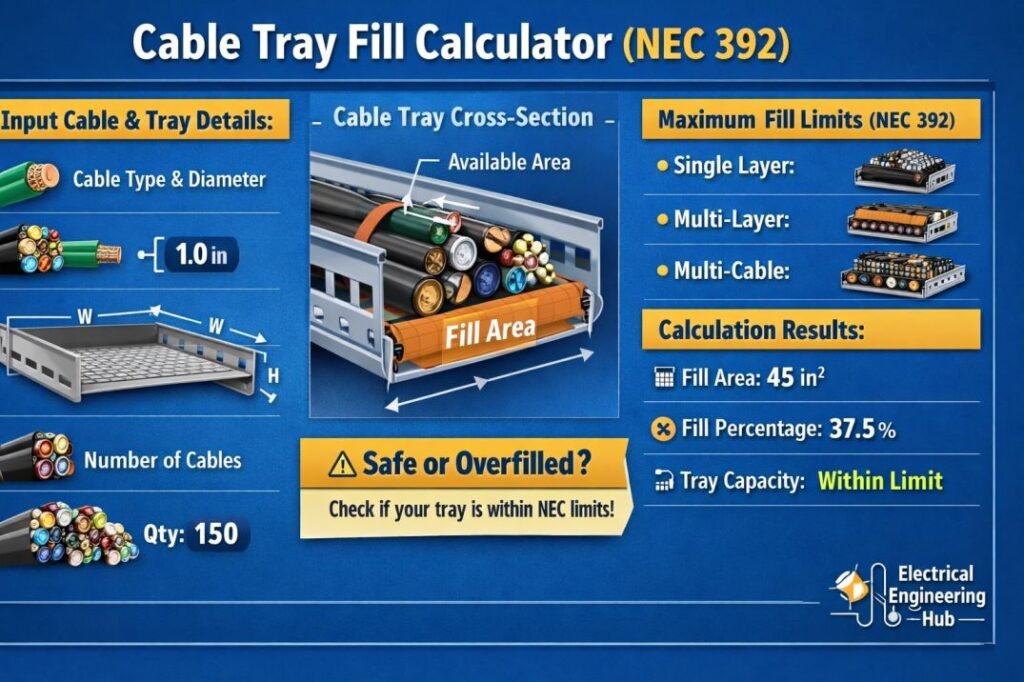
Table of Contents
Table of Contents
Cable Tray Fill Calculator (NEC 392)
Cable Tray Fill Calculator
Multiconductor & single-conductor fill evaluation for ladder, ventilated trough, and solid-bottom cable trays.
Reference: NEC Article 392.22Tray Configuration
Cable Entries
Fill Results
How to Use This Calculator
- Select the tray type, then enter the tray’s inside width and depth. Standard NEC widths are provided as quick-select shortcuts.
- Add one entry per cable group sharing the same category, quantity, and outside diameter.
- Choose the correct cable category for each entry: multiconductor cables 4/0 AWG (211 kcmil) and larger are treated separately from smaller multiconductor cables, and single-conductor cables are split into three size tiers as covered under NEC 392.22.
- Enter the measured or manufacturer-published outside diameter for each cable — not the conductor size alone — since actual jacket diameter governs fill.
- Select Calculate Tray Fill. The tool evaluates the diameter-sum budget for large and single-conductor cables first, then applies the remaining tray width to the allowable fill area for smaller multiconductor cables.
- Review the status badge and breakdown. A Fail result means the tray is undersized for the loaded cable set; a Warn result means the fill is approaching the allowable limit and has little spare capacity for future additions.
Technical Notes
- Large multiconductor cables (4/0 AWG/211 kcmil and larger) and single-conductor cables of 1000 kcmil and larger are limited to a single layer, with their combined diameters not permitted to exceed the tray’s inside width.
- Single-conductor cables between 250 kcmil and 1000 kcmil, and between 1/0 AWG and 4/0 AWG, are subject to progressively tighter diameter-based allowances, reflecting the reduced spacing and heat dissipation available to mid-size single conductors compared to the largest cable sizes.
- Smaller multiconductor cables (below 4/0 AWG) are evaluated by total cross-sectional fill area rather than diameter, using the tray width remaining after larger cables are accounted for.
- Solid bottom trays restrict airflow around the cable bundle compared to ladder and ventilated trough trays, so this tool applies a conservative reduction to the allowable small-cable fill area for solid bottom trays. This reduction is an engineering estimate intended for planning purposes and is not a substitute for the codified table value.
- When large and small cables share the same tray, this tool allocates tray width proportionally between the diameter-based and area-based methods. Complex or mixed-voltage tray designs should be verified against the full code text by the engineer of record.
- This tool does not evaluate ampacity, derating for cable grouping, tray support spacing, or fire-stopping requirements, all of which are governed by separate code sections.
Cable Tray Fill Calculator – Quick Reference Chart
| Parameter | Description |
|---|---|
| Applicable Standard | NEC Article 392 |
| Main Purpose | Calculate allowable cable tray fill |
| Suitable For | Ladder, Ventilated Trough, Solid Bottom, Channel Tray |
| Cable Types | Single Conductors, Multiconductor Cables |
| Key Factors | Tray Width, Cable Diameter, Cable Quantity |
| Compliance Check | NEC 392.22 |
| Result | Pass or Exceeds Allowable Fill |
Cable Tray Fill Formula
| Calculation | Formula |
|---|---|
| Cable Area | π × (Cable Diameter ÷ 2)² |
| Total Cable Area | Cable Area × Number of Cables |
| Fill Percentage | (Total Cable Area ÷ Tray Usable Area) × 100 |
Proper calculations should always follow NEC Article 392 because different cable types have different allowable fill limits.
One of the most overlooked topics is calculating fill when different cable sizes share the same tray. Our guide on Mixture of Cables NEC 392.22 explains these requirements in detail and helps avoid common installation mistakes.
What Is a Cable Tray Fill Calculator?
A Cable Tray Fill Calculator is an engineering tool that determines whether installed cables remain within the allowable fill limits specified by NEC Article 392. Instead of estimating available space, the calculator compares the total cable area against the usable cable tray area.
The calculator is commonly used during:
- Industrial electrical design
- Solar power installations
- Manufacturing facilities
- Data centers
- Commercial construction
- Utility substations
Accurate cable tray fill calculations improve cable cooling, simplify maintenance, and reduce the risk of overcrowding.
Why NEC 392 Cable Tray Fill Matters
Cable trays are designed to support electrical cables while allowing sufficient airflow around conductors. Overfilled trays create several problems.
| Problem | Impact |
|---|---|
| Excessive Heat | Higher conductor temperature |
| Difficult Maintenance | Harder cable replacement |
| Poor Air Circulation | Reduced cable life |
| Future Expansion Issues | Limited spare capacity |
| NEC Non-Compliance | Inspection failures |
Following NEC Article 392 ensures that cable installations remain safe throughout their service life.
Information Required for the Calculation
Before using a Cable Tray Fill Calculator, collect the following information.
| Required Input | Example |
|---|---|
| Tray Width | 12 in |
| Tray Depth | 4 in |
| Cable Outside Diameter | 0.85 in |
| Number of Cables | 18 |
| Cable Type | Multiconductor |
| Tray Type | Ladder Tray |
These values allow accurate determination of the occupied tray area.
Cable Tray Types
Different Cable Tray Types suit different cable loads, environments, and installation layouts. Selecting the right tray also helps maintain proper spacing and avoid overfilling.
| Tray Type | Best For | Key Advantage |
|---|---|---|
| Ladder Tray | Power & control cables | Excellent ventilation |
| Perforated Tray | Commercial wiring | Good support and flexibility |
| Solid-Bottom Tray | Sensitive cables | Better protection |
| Wire Mesh Tray | Data & light cables | Easy installation |
Before selecting a tray, consider cable quantity, weight, ventilation, and environmental conditions. Know more about cable tray types and their requirements in our detail guide. Once the tray style is chosen, use our Cable Tray Fill Calculator to quickly check whether your cables meet NEC 392 fill requirements.
NEC 392.22(A) Multiconductor Cable Tray Fill
NEC 392.22(A) Multiconductor Cable Tray Fill defines how multiconductor cables are permitted to occupy a cable tray based on the tray type, cable diameter, and installation method. Following these requirements helps maintain proper cable spacing, supports heat dissipation, and ensures compliance with the National Electrical Code (NEC). Before finalizing your design, always verify that the calculated tray fill meets the applicable NEC limits.
| Requirement | Purpose |
|---|---|
| Applicable Standard | NEC 392.22(A) |
| Cable Type | Multiconductor cables |
| Key Consideration | Tray fill capacity and cable arrangement |
| Design Tip | Confirm compliance before installation |
Need a detailed explanation with practical examples? Read our complete guide on NEC 392.22(A) Multiconductor Cable Tray Fill to understand calculation methods, code requirements, and common installation mistakes.
NEC 392.22(A)(1)(a) – Mixture of Cables
When a cable tray contains a mixture of cables, NEC 392.22(A)(1)(a) specifies how the allowable fill area must be determined. Instead of using a single cable type, the combined cross-sectional area of all installed multiconductor cables must remain within the tray’s permitted fill limits. This requirement helps maintain proper cable support, heat dissipation, and code compliance.
| NEC Section | Requirement | Purpose |
|---|---|---|
| NEC 392.22(A)(1)(a) | Calculates tray fill for a mixture of multiconductor cables | Prevents overfilling and ensures safe installation |
For a detailed explanation with worked examples and calculations, see our complete guide on NEC 392.22(A)(1)(a) Mixture of Cables.
NEC 392.22(A)(2): Single-Layer Rule for 4/0 AWG+ Cables
When using a Cable Tray Fill Calculator (NEC 392), it is important to understand the requirements of NEC 392.22(A)(2) Single-Layer Rule for 4/0 AWG+ Cables. This NEC provision requires single-conductor cables sized 4/0 AWG and larger to be installed in a single layer within ladder or ventilated cable trays, helping maintain adequate heat dissipation and simplifying future maintenance.
| NEC Section | Requirement | Applies To |
|---|---|---|
| NEC 392.22(A)(2) | Single-layer cable installation | Single conductors 4/0 AWG and larger |
While this calculator estimates tray fill, always verify that your design also complies with this installation rule.
For a complete explanation, examples, and code interpretations, read our detailed guide on NEC 392.22(A)(2) Single-Layer Rule for 4/0 AWG+ Cables before finalizing your cable tray layout.
NEC 392.22(A)(3) for Solid Bottom Cable Trays
When using a solid-bottom cable tray containing a mixture of cables, NEC 392.22(A)(3) provides specific fill requirements to prevent excessive crowding and heat buildup. The allowable cable area depends on the tray’s usable dimensions and the type of cables installed.
| Cable Tray Condition | Key Consideration |
|---|---|
| Solid-bottom tray | Apply NEC 392.22(A)(3) |
| Mixed cable types | Check applicable fill limits |
| Multiple cable sizes | Calculate total cable area |
| Overfilled tray | Reduce cable quantity or increase tray size |
For detailed requirements and examples, see our guide on NEC 392.22(A)(3) for Solid Bottom Trays Containing Any Mixture of Cables, which explains how to apply the rule accurately when calculating cable tray fill.
NEC 392.22(B) Single Conductor Cable Tray Fill
When a cable tray contains single-conductor cables, NEC 392.22(B) provides the installation requirements that determine how conductors may be arranged based on tray type and voltage. Unlike multiconductor cables, single conductors require special attention to spacing, grouping, and heat dissipation to maintain safe ampacity. Use the calculator on this page for fill calculations, then review the detailed guidance below if your installation uses single-conductor cables.
| Topic | NEC 392.22(B) Requirement |
|---|---|
| Applies To | Single-conductor cables installed in cable trays |
| Key Consideration | Cable arrangement, spacing, and ampacity |
| Related Standard | NEC Article 392 |
For a complete explanation, examples, and compliance guidance, read our detailed guide on NEC 392.22(B) Single Conductor Cable Tray Fill.
NEC 392.22(B)(1): Single Conductor Fill in Ladder Trays
NEC 392.22(B)(1) provides specific guidance for determining how single conductors occupy a ladder-type cable tray. Proper conductor arrangement helps maintain required spacing, ventilation, and safe ampacity. When using a cable tray fill calculator, account for conductor diameter and the applicable tray-fill requirements.
| Item | Consideration |
|---|---|
| Tray type | Ladder cable tray |
| Conductor type | Single conductors |
| Key factor | Conductor diameter and arrangement |
| Purpose | Maintain compliant tray fill and heat dissipation |
For detailed calculations, see our guide to NEC 392.22(B)(1) single conductor fill requirements.
NEC 392.22(B)(1)(c) Mixed Single Conductor Fill Formula
When a cable tray contains different sizes of single conductors, NEC 392.22(B)(1)(c) requires the fill to be calculated using the combined cross-sectional areas of all conductors rather than simply counting cables. This method ensures the tray remains within the allowable fill limits and provides adequate space for installation and heat dissipation. If your installation includes multiple conductor sizes, understanding the Mixed Single Conductor Fill requirements is essential for code compliance.
| Requirement | NEC 392.22(B)(1)(c) Guidance |
|---|---|
| Cable Type | Mixed-size single conductors |
| Fill Method | Sum of conductor cross-sectional areas |
| Purpose | Verify allowable cable tray fill |
For detailed calculations, examples, and formula explanations, see our complete guide on Mixed Single Conductor Fill.
Cable Tray Ampacity Derating as per NEC 392.80
Cable tray fill limits and conductor ampacity are related, but they are not the same. After confirming the tray fill percentage, you must also verify conductor ampacity using the derating requirements in NEC 392.80. This section is especially important when multiple current-carrying conductors are installed in ladder, ventilated, or solid-bottom cable trays.
| Check | NEC Reference | Purpose |
|---|---|---|
| Tray Fill | NEC 392.22 | Verifies allowable cable fill |
| Ampacity Derating | NEC 392.80 | Confirms conductor current-carrying capacity |
For a complete explanation, examples, and derating calculations, read our detailed guide on Cable Tray Ampacity Derating as per NEC 392.80. It explains how conductor arrangement, cable type, and installation method affect allowable ampacity in cable tray systems.
Step-by-Step Cable Tray Fill Calculation
The calculation process is straightforward.
Step 1: Measure Cable Diameter
Use the manufacturer’s data sheet instead of estimating cable size.
Example:
Cable Diameter = 0.90 inch
Step 2: Calculate Cable Cross-Sectional Area
Formula:
Cable Area = π × (Diameter ÷ 2)²
Example:
Cable Area
= 3.1416 × (0.90 ÷ 2)²
= 0.636 square inches
Step 3: Multiply by Number of Cables
Example:
18 Cables
Total Cable Area
= 18 × 0.636
= 11.45 square inches
Step 4: Compare with Allowable Tray Area
The calculator compares this value with the allowable cable tray area permitted by NEC Article 392.
If the occupied area exceeds the allowable limit, either:
- Increase tray width
- Install an additional tray
- Reduce cable quantity
- Use another routing path
Ladder Tray vs. Solid Bottom Cable Tray: NEC 392.22 Fill Rules
The choice between ladder and solid-bottom trays affects how NEC 392.22 fill rules are applied. Ladder trays typically use the one-third fill rule for multiconductor cables, while solid-bottom trays may require the applicable fill-area calculation based on cable arrangement and tray type.
| Tray Type | Key NEC 392.22 Consideration |
|---|---|
| Ladder tray | Commonly evaluated using cable fill area |
| Solid-bottom tray | Fill depends on cable type and arrangement |
| Mixed cable types | Apply the applicable NEC 392.22 provisions |
For a practical comparison of Ladder Tray vs. Solid Bottom Cable Tray, see the detailed guide linked here to understand tray selection, allowable fill, and NEC calculation requirements.
Cable Tray Fill Chart
A Cable Tray Fill Chart makes it easier to check how many conductors can fit safely within a tray without exceeding NEC 392 requirements. Use the chart below as a quick reference before selecting tray width.
| Tray Width | Typical Fill Area | Best Use |
|---|---|---|
| 6 in. | Small | Low cable counts |
| 12 in. | Medium | Branch and control cables |
| 18 in. | Large | Multiple power circuits |
| 24 in. | Extra large | High-density installations |
For detailed sizing, spacing rules, and calculation examples, see our Cable Tray Fill Chart guide to select the right tray for your installation.
Typical Cable Tray Width Guide
| Tray Width | Typical Application |
|---|---|
| 6 in | Instrumentation |
| 9 in | Small Control Systems |
| 12 in | Commercial Buildings |
| 18 in | Industrial Plants |
| 24 in | Heavy Power Distribution |
| 30–36 in | Utility Installations |
Actual fill must always comply with NEC requirements regardless of tray size. Follow our detailed step by step guide on How to Calculate Cable Tray Fill as per NEC 392
Factors Affecting Cable Tray Fill
Several installation conditions influence tray capacity.
Cable Diameter
Larger cable diameters occupy more tray area.
Cable Quantity
More conductors increase occupied space and may exceed allowable fill.
Cable Type
Single-conductor and multiconductor cables have different NEC requirements.
Tray Construction
Ladder trays generally provide better ventilation than solid-bottom trays.
Future Expansion
Many designers intentionally reserve spare tray space for future circuits.
Cable Tray Types Covered Under NEC 392
| Tray Type | Typical Use |
|---|---|
| Ladder Tray | Power Distribution |
| Ventilated Trough Tray | Industrial Plants |
| Solid Bottom Tray | Sensitive Instrumentation |
| Channel Tray | Limited Cable Runs |
| Wire Mesh Tray | Data and Communication |
Each tray type has specific installation requirements, although cable fill calculations remain based on NEC provisions.
Common Mistakes When Using a Cable Tray Fill Calculator
Many installation errors occur because assumptions are made instead of performing actual calculations.
| Mistake | Better Practice |
|---|---|
| Ignoring cable outside diameter | Use manufacturer specifications |
| Mixing cable types incorrectly | Follow NEC Article 392.22 |
| Filling tray completely | Leave space for cooling |
| Ignoring future additions | Reserve spare capacity |
| Using estimated dimensions | Measure tray accurately |
If multiple cable sizes share one tray, the calculation method changes. Read our detailed guide on Mixture of Cables NEC 392.22 to understand the correct NEC approach for mixed cable installations.
Benefits of Using a Cable Tray Fill Calculator
Using a Cable Tray Fill Calculator offers several practical advantages.
| Benefit | Description |
|---|---|
| Faster Design | Instant fill calculations |
| Better Compliance | Meets NEC Article 392 |
| Improved Safety | Prevents overcrowding |
| Easier Maintenance | Better cable access |
| Reduced Rework | Detects sizing issues early |
| Cost Savings | Avoids unnecessary tray upgrades |
Engineering teams increasingly rely on digital calculators to improve project accuracy and reduce design time.
Best Practices for NEC Cable Tray Fill
For reliable installations, follow these recommendations.
- Verify cable outside diameter from manufacturer data.
- Select the correct tray type before calculations.
- Leave spare capacity for future circuits.
- Avoid mixing cable categories without checking NEC rules.
- Confirm tray dimensions before installation.
- Recalculate tray fill whenever cables are added.
- Follow NEC Article 392 during every design review.
These practices reduce installation problems and simplify future maintenance.
Frequently Asked Questions
Does NEC specify a maximum cable tray fill?
Yes. NEC Article 392 specifies allowable cable tray fill based on cable type, tray type, and installation method. The allowable fill varies depending on whether the tray contains single conductors or multiconductor cables.
Can different cable sizes be installed in one cable tray?
Yes. Different cable sizes can share the same tray, but the calculation must follow NEC 392.22 requirements. Mixed cable installations require a different fill evaluation than trays containing identical cables.
Why should I use a Cable Tray Fill Calculator?
A Cable Tray Fill Calculator provides faster and more accurate results than manual calculations. It helps ensure NEC compliance, prevents overcrowding, improves cable cooling, and reduces costly design revisions.
Conclusion
A Cable Tray Fill Calculator is an essential design tool for anyone involved in electrical installations governed by NEC Article 392. It accurately determines whether a cable tray has sufficient capacity while maintaining safe operating conditions and regulatory compliance. By using verified cable dimensions, selecting the correct tray type, and following NEC fill requirements, engineers can improve system reliability, simplify maintenance, and accommodate future expansion.
For projects involving multiple cable sizes, reviewing Mixture of Cables NEC 392.22 alongside your calculations ensures the installation follows the appropriate NEC methodology and avoids common compliance issues.
Get new guides in your feed. Follow Electrical Insights on LinkedIn for new electrical standards guides, calculators and design tips from Azad Circuit Hub.
CableTrayFillCalculator, #NEC392, #CableTraySizing, #ElectricalEngineering, #CableManagement, #NECCode, #ElectricalDesign, #PowerDistribution, #IndustrialElectrical, #ElectricalCalculator
Cable Tray Fill Calculator (NEC 392)

Cable Tray Fill Calculator (NEC 392) helps you calculate allowable cable tray fill based on NEC Article 392. Determine tray capacity, cable fill percentage, and code-compliant sizing for power, control, and instrumentation cables.
Price Currency: USD
Operating System: Web Browser
Application Category: UtilitiesApplication
