
Push-Pull Transformer Calculator – Accurate Design Tool for Power Electronics Engineers
A Push-Pull Transformer Calculator is one of the most useful tools for designing efficient DC-DC converters and audio amplifiers. This calculator helps you determine the correct transformer turns ratio, core size, and winding parameters for push-pull converter circuits. If you are building a power supply or working with switching circuits, understanding how to calculate these transformer parameters accurately can make the difference between a working design and one that overheats or fails under load.
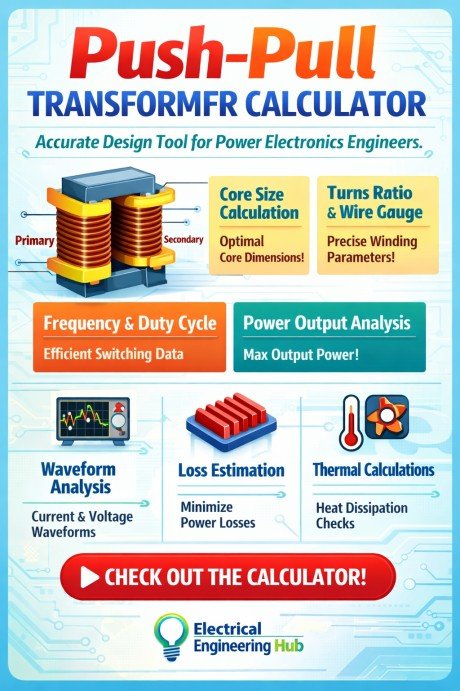
Table of Contents
In a push-pull topology, two transistors alternately drive current through opposite halves of the transformer’s primary winding. This design doubles the effective voltage swing across the primary, improving efficiency and reducing core size compared to single-ended topologies. The Push-Pull Transformer Calculator simplifies all the math by providing quick results for winding turns, duty cycle, voltage, and core area — all in one place.
What is a Push-Pull Transformer Calculator
A Push-Pull Transformer Calculator is a specialized tool designed for engineers and hobbyists to compute transformer parameters for push-pull converter circuits. It takes key inputs such as supply voltage, desired output voltage, frequency, core material, and flux density to calculate the primary and secondary winding turns. The calculator also estimates transformer efficiency, duty cycle, and current distribution.
Push-Pull Transformer Calculator
Full-bridge topology design tool for power electronics engineers. Calculates winding turns, current ratings, flux density, and core sizing from first principles.
Power Electronics / Magnetics DesignSelect a calculation mode. Use Core Design to determine primary and secondary turns from your core and electrical specs. Use Verify Existing Design to check flux density and currents for a wound transformer. Use Core Area from Power to find the minimum core cross-section for a given power level.
Enter all electrical parameters. Provide the DC supply voltage (Vin), desired rectified output voltage (Vout), output power, switching frequency (the transistor’s half-cycle frequency), estimated efficiency, and the rectifier diode forward voltage.
Enter core parameters. Ae (effective cross-sectional area) is on the core datasheet. Bmax for ferrite cores is typically 0.15–0.25 T; reduce if thermal rise is a concern. Enter window area Aw, fill factor Kw (0.35–0.45 for hand-wound designs), and current density J (3 A/mm² is a safe starting point).
Click Calculate. Primary turns (Np), secondary turns (Ns), peak flux density, wire cross-sections, and a window utilization estimate are displayed. A warning is shown if flux density exceeds safe limits or window fill is over 100%.
Read the winding summary table. This lists exact turns, RMS current, recommended wire cross-section, and approximate AWG for both primary and secondary. Always verify wire selection against your wire gauge table before winding.
Push-Pull Topology Overview
In a push-pull converter, two transistors alternately drive opposite ends of a center-tapped primary. Each transistor conducts for less than half the period, so the core experiences full flux swing each half-cycle. This gives excellent transformer utilization but requires matched transistors and careful dead-time control to prevent flux imbalance.
Flux Density and Core Selection
Ferrite cores should remain below 0.3 T to avoid saturation at operating temperature. A practical design target is 0.15–0.2 T, which provides margin against transient overcurrents. Power iron-powder cores can operate at higher densities but incur significantly higher core losses at frequencies above 50 kHz. Always confirm the Bsat figure from the manufacturer’s datasheet at your operating temperature.
Volt-Second Balance
A push-pull transformer must maintain volt-second balance across the primary to prevent core walk (DC flux offset). Asymmetric drive waveforms, transistor mismatch, or asymmetric dead times can accumulate flux offset over multiple cycles and lead to saturation even when peak flux is theoretically within the rated Bmax. Current-mode control is strongly recommended to enforce automatic flux balance.
Turns Ratio and Voltage Equation
The secondary turns are derived from the turns ratio, which accounts for diode drops and a volt-second correction for the duty cycle. In a push-pull stage, the effective duty cycle available per transistor is limited by dead time insertion requirements; this calculator assumes a maximum duty cycle margin is included in the efficiency factor entered by the user.
Wire Sizing and Proximity Effect
At switching frequencies above 20 kHz, skin and proximity effects reduce the effective cross-section of solid wire. Below 50 kHz, solid wire up to approximately 0.5 mm diameter is generally acceptable. Above 100 kHz, Litz wire (multiple individually-insulated strands) is recommended to manage AC resistance. This calculator provides DC wire area; apply a Litz stranding factor if your frequency warrants it.
Window Fill Factor
A fill factor (Kw) of 0.4 is realistic for machine-wound bobbins on standard EE or ETD cores. Hand-wound designs may achieve 0.3–0.35 due to inter-layer insulation and lead-out clearance. If the calculator indicates fill above 100%, choose a larger core, increase current density, or reduce turns by increasing switching frequency.
When designing a push-pull circuit, manual calculations can be tedious. You must ensure the transformer operates below the magnetic core saturation limit and that the windings handle the required current. Using a calculator not only saves time but also prevents design errors that could lead to transformer overheating or magnetic imbalance.
Use our online tool Transformer Turns Ratio Calculator – Calculate Voltage, Current & Turns Ratio Instantly
Here’s an example of what the Push-Pull Transformer Calculator typically computes:
| Parameter | Description |
|---|---|
| Input Voltage (VDC) | The DC supply voltage applied to the push-pull converter |
| Output Voltage (V) | The desired output voltage after rectification and filtering |
| Frequency (kHz) | The switching frequency of the converter |
| Core Area (cm²) | Effective magnetic area of the transformer core |
| Maximum Flux Density (T) | The maximum magnetic flux density allowed for the selected core material |
| Turns Ratio (Np:Ns) | Ratio of primary to secondary winding turns |
| Primary Current (A) | Current flowing through the primary winding |
| Secondary Current (A) | Current delivered by the secondary winding |
Each parameter influences the performance of your transformer. The calculator applies the standard transformer equation:
V = 4.44 × f × B × A × N
Where:
V = Voltage per winding,
f = frequency (Hz),
B = maximum flux density (T),
A = core area (m²),
N = number of turns.
This equation forms the foundation of push-pull transformer design and helps determine the required number of turns for both primary and secondary sides.
Why Use a Push-Pull Transformer Calculator
Designing a push-pull converter manually can be challenging because several parameters are interdependent. For example, if you increase the switching frequency, the core size can be reduced, but switching losses increase. Similarly, higher flux density reduces winding turns but may push the core close to saturation.
The Push-Pull Transformer Calculator simplifies this complex relationship by automatically adjusting parameters based on your input. It ensures that your transformer remains within safe operating limits while achieving the desired voltage transformation and efficiency.
The key benefits include:
- Accurate winding calculations
- Prevention of core saturation
- Improved efficiency and voltage regulation
- Faster design process
- Reduced risk of overheating and imbalance
For engineers working on DC-DC converters or inverter systems, such a calculator is an essential design companion.
Use our online tool Transformer Capacity Calculation Tool – Accurate Load and Power Sizing for Electrical Systems
How the Push-Pull Transformer Calculator Works
The calculator works by using transformer equations along with magnetic and electrical design rules. You simply enter your input voltage, desired output voltage, switching frequency, and core details. The tool then calculates the turns ratio, required primary and secondary turns, and expected flux density.
Let’s understand the process step by step:
Input the Supply Voltage (Vdc)
The calculator uses this as the base for determining how much voltage each transistor will apply across half of the primary winding.
Set the Switching Frequency (f)
Higher frequency results in smaller core size but increases switching losses. Typical push-pull converters work between 20 kHz to 200 kHz.
Select Maximum Flux Density (Bmax)
The maximum flux density depends on the core material. For ferrite cores, Bmax is typically between 0.2T and 0.3T.
Know more about Transformer Sizing for Residential Building
Enter Core Area (Ae)
The calculator uses this value to determine the number of primary turns needed to avoid core saturation.
Output Voltage and Turns Ratio Calculation
The ratio of the number of turns in primary and secondary determines your voltage conversion. For example, if your input is 12V and output is 24V, the turns ratio should be 1:2.
Current Estimation
Based on the transformer efficiency and load power, the calculator computes both primary and secondary currents.
This simple yet powerful sequence ensures your design is both electrically efficient and magnetically stable.
Practical Example Using Push-Pull Transformer Calculator
Suppose you are designing a 12V to 24V DC-DC converter operating at 50 kHz. Your ferrite core has an effective area of 1.2 cm², and the maximum flux density allowed is 0.25T. Using the calculator, the results might look like this:
| Parameter | Value |
|---|---|
| Input Voltage | 12 V |
| Output Voltage | 24 V |
| Frequency | 50 kHz |
| Core Area | 1.2 cm² |
| Max Flux Density | 0.25 T |
| Primary Turns | 10 |
| Secondary Turns | 20 |
| Turns Ratio | 1:2 |
| Primary Current | 5 A |
| Secondary Current | 2.5 A |
These calculated results give you a clear idea of how to wind the transformer and what parameters to monitor during operation.
Use our online tool Automatic Transformer Rating Calculator – Find the Right Transformer Capacity for Your Load
Applications of Push-Pull Transformer Calculator
The Push-Pull Transformer Calculator is widely used in various power electronics applications, including:
- DC-DC converter design
- Audio power amplifiers
- Inverters for solar systems
- SMPS (Switch Mode Power Supply) circuits
- Battery charging systems
- Isolated voltage converters
Each of these systems relies on accurate transformer calculations to ensure optimal performance and reliability.
Tips for Accurate Results with Push-Pull Transformer Calculator
While the calculator simplifies the process, you must still follow some best practices for accurate and safe design results.
- Always use core data provided by the manufacturer.
- Enter realistic flux density values; excessive Bmax leads to saturation.
- Keep switching frequency within the safe range of your MOSFETs or transistors.
- Use high-quality copper wire and maintain good insulation between windings.
- Verify results through practical testing and thermal measurements.
Know more about How to Perform Sfra Transformer Test
These small details help improve transformer lifespan and circuit efficiency.
Understanding Push-Pull Transformer Design Parameters
In push-pull converters, the transformer not only transfers energy but also provides galvanic isolation. The main goal is to balance both halves of the primary winding so that magnetic flux cancels out properly in the core.
Imbalance between the two halves may cause saturation, excessive heating, and high ripple in output voltage. The calculator helps you maintain symmetrical operation by correctly computing the number of turns for each half.
Know more about Transformer Cooling Methods: ONAN, ONAF, OFAF & More
Key design parameters include:
| Design Aspect | Typical Range |
|---|---|
| Switching Frequency | 20 kHz – 200 kHz |
| Bmax (Flux Density) | 0.2 T – 0.3 T |
| Duty Cycle | 45% – 50% |
| Efficiency | 85% – 95% |
Understanding these ranges ensures your design remains within optimal electrical and magnetic conditions.
Use our online tool Transformer Sizing Chart Calculator – Calculate the Right Transformer Size for Your Load
Final Thoughts
A Push-Pull Transformer Calculator is more than just a convenience tool — it is a crucial part of efficient converter design. Whether you are developing a compact SMPS, a DC-DC converter, or a custom inverter, precise transformer calculations ensure stability, safety, and performance.
By entering basic parameters like input voltage, frequency, and core dimensions, you can instantly obtain accurate results for winding turns and current ratings. This helps you build transformers that perform reliably under various load conditions without trial and error.
If you are working on a power electronics project, integrating a Push-Pull Transformer Calculator into your workflow can save hours of manual effort and deliver professional-grade accuracy. With correct use, it ensures that your transformer operates within safe limits, offering high efficiency and long service life.
Use our online tool Transformer Inrush Current Calculator – Accurate Tool for Power System Engineers
Follow Us on Social:
Subscribe our Newsletter on Electrical Insights for latest updates from Electrical Engineering Hub
#PushPullTransformerCalculator, #TransformerDesign, #SMPSDesign, #PowerElectronics, #TransformerCalculator, #ElectronicsTools, #CircuitDesign, #DCConverter, #ElectricalEngineering, #InverterCircuit, #PushPullConverter, #PowerSupplyDesign, #EECalculators, #EnergyConversion, #EngineeringTools
Push-Pull Transformer Calculator – Accurate Design Tool for Power Electronics Engineers

Use our Push-Pull Transformer Calculator to design efficient transformers for SMPS and inverter circuits. Calculate primary turns, secondary turns, core size, and power efficiency instantly. Perfect for students, hobbyists, and electrical engineers
Price Currency: USD
Operating System: All
Application Category: UtilitiesApplication
