
ESP8266MOD Programming WLED – Complete Setup Guide for Addressable LED Control
Smart lighting projects have become extremely popular among DIY enthusiasts and electronics engineers. One of the most powerful combinations for building advanced LED lighting systems is ESP8266MOD programming WLED. This setup allows you to control addressable LEDs through Wi-Fi, create stunning lighting effects, and manage everything from a web interface or mobile device.
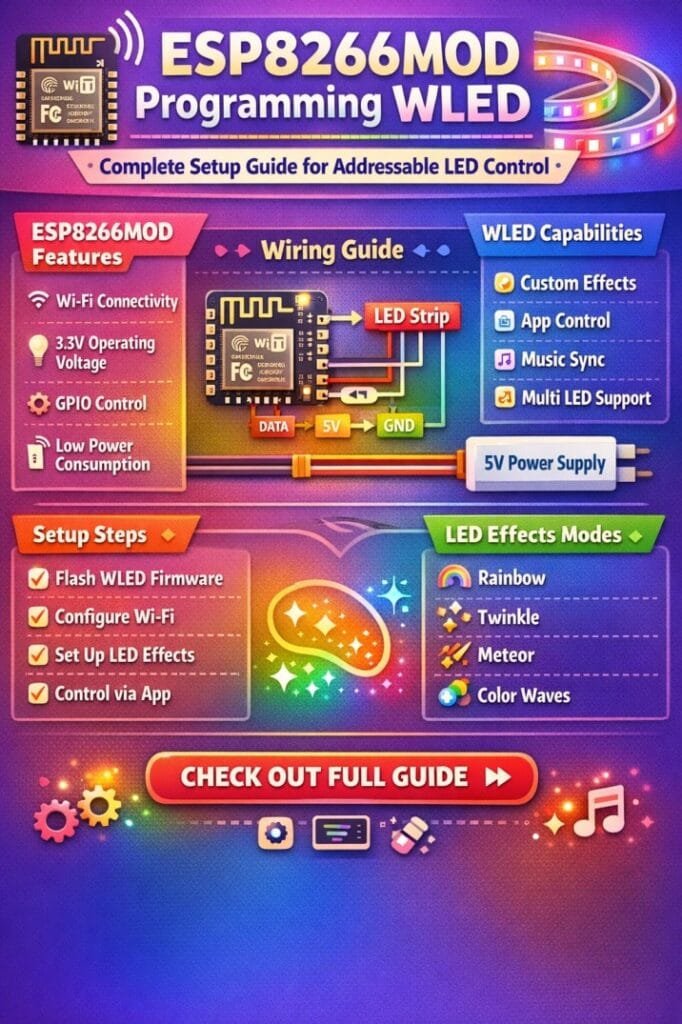
Table of Contents
The ESP8266MOD module is inexpensive, compact, and capable of running powerful firmware like WLED. When paired with addressable LED strips such as WS2812B or SK6812, it becomes a flexible lighting controller suitable for home automation, decorative lighting, gaming setups, and architectural illumination.
This complete guide explains the hardware requirements, wiring method, firmware installation, configuration steps, and optimization tips required to successfully complete an ESP8266MOD-based WLED setup.
Know more about ESP12F vs ESP32
Understanding ESP8266MOD and WLED
Before starting the setup, it is important to understand the two main components of the system.
The ESP8266MOD is a Wi-Fi microcontroller module developed by Espressif. It is widely used in IoT projects because it offers wireless connectivity, GPIO control, and low power consumption.
WLED is an open-source firmware designed specifically for controlling addressable LEDs. It runs directly on ESP8266 and ESP32 boards and provides advanced LED effects, scheduling, brightness control, and synchronization features.
When combined, ESP8266MOD programming WLED transforms a simple microcontroller into a complete LED controller with browser-based configuration and mobile app control.
Find all about a4988 microstepping
Hardware Components Required
To build a stable LED controller, you need a few essential components. Using good-quality parts will ensure reliability and prevent flickering or unstable behavior.
| Component | Description | Recommended Specification |
|---|---|---|
| ESP8266MOD Module | Wi-Fi microcontroller for running WLED firmware | ESP-12F or ESP-12E |
| USB to Serial Adapter | Required to flash firmware | CP2102 or CH340 |
| Addressable LED Strip | Individually controllable LEDs | WS2812B or SK6812 |
| Power Supply | External power for LED strip | 5V DC |
| Level Shifter (Optional) | Improves signal stability | 3.3V to 5V |
| Resistor | Protects LED data input | 330Ω |
| Capacitor | Stabilizes power supply | 1000µF |
Addressable LED strips require a stable power source because large numbers of LEDs draw significant current.
Know more about nema 17 arduino a4988
Pin Configuration for ESP8266MOD
Correct wiring is critical when implementing ESP8266MOD programming WLED. The data pin connects the controller to the LED strip and allows communication.
Below is a typical wiring configuration.
| ESP8266MOD Pin | Connection |
|---|---|
| 3.3V | Power for module |
| GND | Common ground |
| GPIO2 or GPIO4 | LED Data Input |
| TX | Serial communication |
| RX | Serial communication |
GPIO2 is commonly used as the LED data pin in many WLED projects. Explore details on a4988 esp32
Wiring the Addressable LED Strip
The wiring process is simple but must be done carefully.
Follow these steps:
- Connect the LED strip VCC to the 5V power supply.
- Connect LED strip GND to the power supply ground.
- Connect the ESP8266MOD GND to the same ground.
- Connect GPIO2 from ESP8266MOD to the LED data input through a 330Ω resistor.
- Place a 1000µF capacitor across 5V and GND near the LED strip.
Proper grounding ensures that the controller and LEDs share the same reference voltage, preventing communication errors.
Flashing WLED Firmware to ESP8266MOD
Installing firmware is the most important step in ESP8266MOD programming WLED. The firmware allows the module to manage LED effects and provide a user interface.
Step 1: Download WLED Firmware
Download the latest ESP8266 firmware from the official WLED repository. Choose the WLED binary file for ESP8266.
Know more about ESP12F vs ESP8266: Comprehensive Comparison for IoT Projects and Smart Applications
Step 2: Install Flashing Tool
You can use tools such as:
- ESPHome Flasher
- NodeMCU PyFlasher
- esptool.py
These tools allow you to upload firmware through the USB-to-serial adapter.
Step 3: Connect ESP8266MOD to Computer
Use the following wiring:
| USB Adapter | ESP8266MOD |
|---|---|
| TX | RX |
| RX | TX |
| GND | GND |
| 3.3V | VCC |
Pull GPIO0 to ground while powering the module to enter flashing mode. Know more about esp8266 pinout
Step 4: Upload Firmware
Open the flashing tool and select:
- Correct COM port
- WLED firmware binary
- Flash address 0x00000
Start the upload process. After flashing completes, restart the module.
Once rebooted, the device will broadcast a Wi-Fi access point named WLED-AP.
Initial WLED Configuration
After completing ESP8266MOD programming WLED, you must configure the firmware settings.
Follow these steps:
- Connect to the WLED-AP Wi-Fi network.
- Open a browser and go to 4.3.2.1.
- Access the configuration panel.
Here you can configure:
- Home Wi-Fi network
- LED strip type
- Number of LEDs
- Data pin assignment
- Brightness limits
After saving the settings, the controller will restart and connect to your home Wi-Fi.
Know more about Best WiFi Modules for Smart Home Projects (ESP8266, ESP32, ESP12F)
LED Strip Configuration Settings
Proper configuration ensures smooth lighting effects and accurate LED control.
| Setting | Description | Example |
|---|---|---|
| LED Type | Defines LED chipset | WS2812B |
| Data Pin | GPIO used for control | GPIO2 |
| LED Count | Total LEDs in strip | 60 |
| Color Order | RGB or GRB | GRB |
| Max Current | Limits power usage | 2000mA |
Adjusting these parameters helps avoid power overload and improves LED performance.
Controlling LEDs Using WLED Interface
One of the best advantages of ESP8266MOD programming WLED is the powerful control interface.
You can manage lighting through:
- Web dashboard
- Mobile application
- Home automation integration
- HTTP commands
- MQTT protocols
Know more about Top 10 ESP Based Smart Home Projects for Beginners
The WLED interface allows real-time control of:
- Brightness
- Color selection
- Animation effects
- Speed and intensity
- Presets and playlists
More than 100 built-in lighting effects are available, making it easy to create dynamic lighting scenes. Here is a detailed guide on esp12f pinout
Popular Addressable LED Effects
WLED includes a wide range of animation patterns suitable for decorative and architectural lighting.
| Effect | Description |
|---|---|
| Rainbow | Continuous color transition |
| Theater Chase | Moving light pattern |
| Fire Flicker | Simulated flame effect |
| Color Waves | Smooth flowing colors |
| Sparkle | Random twinkling LEDs |
These effects can be saved as presets and scheduled automatically.
Power Consumption Considerations
Addressable LED strips can draw high current depending on brightness and LED count.
A typical WS2812B LED consumes around 60mA at full brightness.
| Number of LEDs | Approx Current |
|---|---|
| 30 LEDs | 1.8A |
| 60 LEDs | 3.6A |
| 150 LEDs | 9A |
Always choose a power supply with at least 20–30% additional capacity for safety.
Explore details on esp32 wroom 32 uart pins
Advantages of ESP8266MOD Based WLED Controller
There are several reasons why hobbyists and professionals prefer this setup.
- Low hardware cost
- Wi-Fi enabled lighting control
- Web-based configuration
- Large library of LED effects
- Integration with Home Assistant and MQTT
- Support for synchronization with other controllers
The flexibility of ESP8266MOD programming WLED makes it suitable for both small DIY projects and complex lighting installations.
Troubleshooting Common Issues
Sometimes beginners face small issues during installation or operation. Most problems are easy to fix.
| Problem | Possible Cause | Solution |
|---|---|---|
| LEDs flicker | Weak data signal | Use resistor or level shifter |
| Module not flashing | Incorrect boot mode | Pull GPIO0 to ground |
| LEDs not responding | Wrong data pin | Check configuration |
| Random colors | Ground not common | Connect shared ground |
Careful wiring and proper power management will solve most issues.
Know more about 28BYJ-48 Stepper Motor with the A4988 Stepper Driver
Final Thoughts
Learning ESP8266MOD programming WLED opens the door to a wide range of creative lighting projects. With a simple microcontroller module and addressable LED strips, you can build smart lighting systems that are fully customizable and controllable through Wi-Fi.
The setup process involves selecting the right hardware, wiring the LED strip correctly, flashing the WLED firmware, and configuring the LED parameters through the web interface. Once completed, the system provides powerful lighting control, dozens of animation effects, and seamless integration with smart home platforms.
Because of its flexibility, low cost, and powerful features, ESP8266MOD programming WLED remains one of the best solutions for building modern addressable LED lighting controllers. Whether you are designing decorative lighting, gaming room illumination, or IoT-based lighting automation, this combination delivers reliable performance and impressive visual effects.
Follow Us on Social:
Subscribe our Newsletter on Electrical Insights for latest updates from Electrical Engineering Hub
ESP8266MOD, #WLEDProgramming, #ESP8266WLED, #AddressableLEDs, #ESP8266Projects, #SmartLighting, #IoTProjects, #LEDStripControl, #DIYElectronics, #MicrocontrollerProjects
