EV Charger Blinking Red? Fix It in 5 Minutes (Tata, Tesla, Wallbox)
⚡ Do this first (takes 2 minutes)
- Power-cycle it: unplug the connector from your car, wait 30 seconds, then plug it back in.
- Check the breaker: if it has tripped, reset it once. If it trips again, stop and call an electrician.
- Check the cable and plug: look for dirt, bent pins or damaged insulation. If you see damage, don’t use it.
Electric vehicle (EV) owners often rely on home and public chargers for smooth, trouble-free charging. However, when your EV charger starts blinking red, it can be frustrating and confusing. The flashing red light can signal anything from a minor glitch to a serious electrical fault. Understanding what it means and how to fix it is key to getting your EV back on charge quickly.
As an electrical engineer with 15+ years of field experience in electrical systems and troubleshooting, I recommend checking the charger’s LED status, power supply, vehicle connection, and error codes before attempting a reset. Red-light meanings vary by Tata, Tesla, and Wallbox models. If the fault persists, consult the manufacturer or a qualified electrician.
Table of Contents
Table of Contents
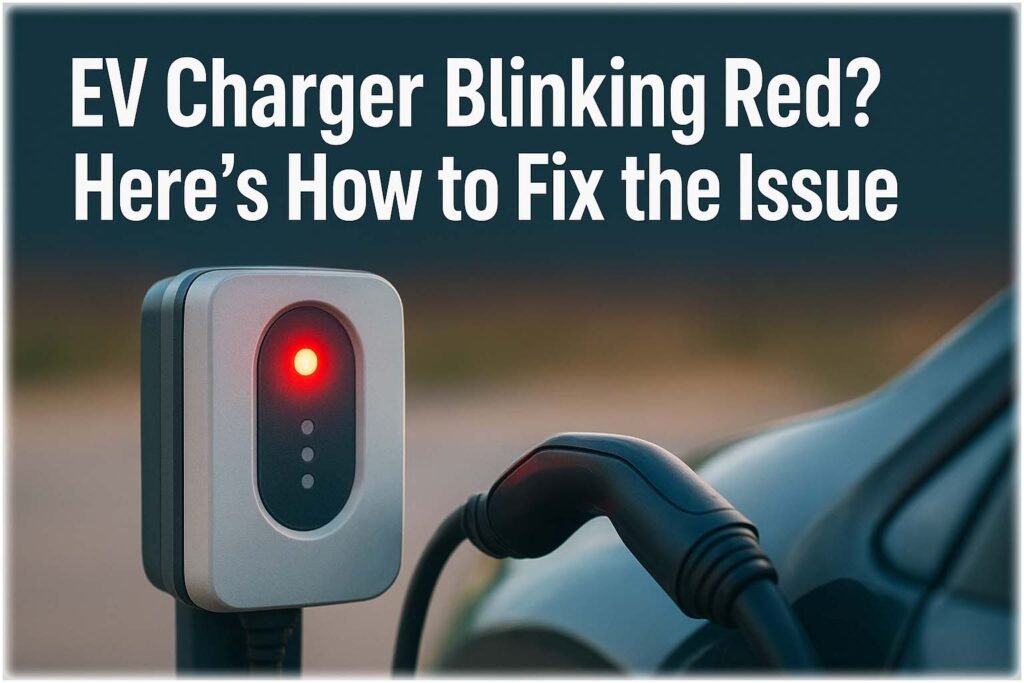
Before diving into technical fixes, remember one thing. Never ignore a blinking red indicator. Your EV charger is designed to protect both the vehicle and the electrical system. Ignoring warning lights can lead to costly repairs or potential safety risks.
Key Takeaways
- A blinking red light on an EV charger usually indicates a fault or communication error.
- Common causes include ground faults, overheating, connection errors, or power supply issues.
- Most issues can be fixed by resetting the charger, checking connections, or addressing overheating.
- Always consult your charger’s manual for brand-specific red light meanings before attempting fixes.
- If the issue persists, contact a certified electrician or charger manufacturer support.
Understanding Why Your EV Charger Is Blinking Red
When you see your EV charger blinking red, it’s essentially telling you that something isn’t right. Chargers use color codes to communicate different statuses. A steady green might mean “ready,” blue could mean “charging,” while red typically means “fault.”
The red blinking pattern varies between brands. Some chargers flash red twice, pause, then repeat — each pattern representing a different issue. For instance, two red blinks might indicate a ground fault, while three red blinks could mean temperature protection mode is active.
Here’s a quick reference table explaining what common red blink patterns mean across popular EV charger brands:
| Blinking Pattern | Possible Meaning | Action Required |
|---|---|---|
| 1 red blink | Communication error with vehicle | Reconnect the plug, restart charging |
| 2 red blinks | Ground fault detected | Inspect grounding or call electrician |
| 3 red blinks | Overheating or thermal fault | Let the unit cool down |
| 4 red blinks | Power supply or voltage issue | Check circuit breaker or input voltage |
| 5+ red blinks | Internal hardware fault | Contact manufacturer or service center |
This table serves as a general guideline. Always refer to your charger’s specific manual for exact meanings.
EV Charger Blinking Red? Brand-Specific Solutions
Each EV charger brand interprets red blinks differently. Below is a brief guide for a few popular models:
| Brand | Common Red Blink Cause | Suggested Fix |
|---|---|---|
| Tesla Wall Connector | Overheat or ground fault | Check for overheating, reset via Tesla app, Read complete guide on Tesla Charger Blinking Red here. |
| ChargePoint Home Flex | Power interruption | Check circuit breaker, restart charger |
| JuiceBox Charger | Software glitch | Reboot via app or power cycle manually |
| Blink HQ | Internal fault | Contact Blink customer support |
| Wallbox Pulsar | Temperature sensor error | Allow to cool, ensure ventilation |
| Tata Power / Tata EZ Charge | Communication error with vehicle (common on Nexon EV, Tiago EV) | Restart via Tata Power EZ app, check earthing at socket |
| Project EV (UK) | Ground fault or RCD trip | Reset RCD at consumer unit, contact Project EV support if repeats |
| BYD Home Charger | Red + green blink = firmware update in progress; solid red + green = comms fault | Wait for update to finish (do not unplug); if pattern persists, power-cycle from breaker |
These are common trends — your charger’s manual remains the best reference.
Red + Green Blinking: What Does It Mean?
Some chargers — BYD units in particular — use a combined red-and-green blink to signal something different from a solid red light. This usually means one of two things: a firmware update is in progress, or the charger has lost communication with the vehicle mid-session.
If the pattern started right after a software update prompt, leave the charger plugged in and powered — interrupting an update is the most common cause of a charger getting stuck in this state. If there was no update prompt, treat it as a communication fault: unplug the vehicle connector, wait 30 seconds, and reconnect.
If the combined blink continues after that, contact the manufacturer rather than resetting repeatedly, since some brands log repeated resets as a fault condition.
EV Charger Blinking Red in India: Tata, MG & Mahindra Chargers
Indian home installations often run on single-phase supply with voltage that fluctuates more than in the US or UK, which is a common trigger for red-light faults on Tata, MG, and Mahindra home chargers.
If your charger blinks red intermittently rather than constantly, check for voltage sag during peak household load (AC, geyser, or motor pump running simultaneously) before assuming a hardware fault. A dedicated circuit with stable voltage can help resolve supply-related faults, but persistent warnings may indicate an earthing, socket, control-box or vehicle-side problem.
3.3 kW Portable Charger vs 7.2 kW Wallbox: Which Do You Have?
Tata EVs in India can use different AC home-charging arrangements, and the red-light causes differ between them. Identify your charger first.
| 3.3 kW portable charger | 7.2 kW wallbox | |
|---|---|---|
| Supply | At 230 V AC, 3.3 kW corresponds to approximately 14.3 A (3,300 W ÷ 230 V). | At 230 V AC, 7.2 kW corresponds to approximately 31.3 A (7,200 W ÷ 230 V). Requires a properly designed dedicated circuit. |
| Installation | Portable charging unit with an in-cable control box, connected to a suitable socket specified by the manufacturer. | Fixed wall-mounted charger installed by a qualified electrician. |
| Check first when it shows a fault | Plug and socket condition, overheating, earthing, supply voltage and the control-box LED combination. | Circuit breaker, incoming voltage, earthing and terminations. Electrical checks must be performed by a qualified electrician. |
| Charging time | Depends on the vehicle’s usable battery capacity, charging limits and actual power delivered. | Can be faster if the vehicle supports 7.2 kW AC charging and the supply can deliver the required power. |
Available charging power depends on the exact vehicle variant and onboard AC charger. Check your vehicle’s owner’s manual and the charger’s rating plate rather than assuming that every Tata EV supports both charging options.
Tata 3.3 kW Portable Charger: What the Control-Box LEDs Mean
The Tata portable charger described in the Nexon EV owner’s manual has four indicators labelled Home, Control Box, Vehicle and Fault. The fault is identified by the combination of indicators that are on, off or blinking, not by a single red light alone. Match the pattern to the manual for your specific charger.
| Condition | LED pattern (Home / Control Box / Vehicle / Fault) | What to do |
|---|---|---|
| Plug temperature high — standby | ON / OFF / OFF / BLINK | Do not start or continue charging while the plug is overheating. Disconnect safely according to the manual, allow it to cool, and inspect the socket for looseness, scorch marks or discolouration. Have a suspect socket checked by an electrician before reuse. |
| Plug temperature high — charging | ON / ON / BLINK / BLINK | Stop charging and disconnect safely following the manufacturer’s instructions. Let the plug cool and have the plug and socket inspected if overheating recurs or there are signs of damage. |
| Plug temperature high — charging stopped | ON / ON / ON / BLINK | Allow the plug to cool. Do not reuse a loose, damaged or overheated socket until it has been inspected and any necessary repairs completed. |
| Control box fault | OFF / BLINK / OFF / ON or BLINK | Stop using the charger. Do not open or attempt to repair the box. Contact a TPEM Authorised Service Centre. |
| Vehicle-box fault | OFF / OFF / BLINK / ON or BLINK | Stop charging and contact the nearest TPEM Authorised Service Centre for inspection. |
| Home interface fault — supply or earthing issue | BLINK / OFF / OFF / ON | Stop charging. The manual lists improper earthing, a PE-to-phase short or a domestic supply error as possible causes. It identifies AC voltage below 190 V or above 250 V as a fault condition. Have the supply and earthing checked by a qualified electrician. |
| Home plug/socket connection fault | BLINK / OFF / OFF / BLINK | Check that the plug is correctly connected and verify the socket rating. The manual specifies a 15 A socket for this charger. Do not use a loose, damaged or overheated outlet. |
Important: The patterns above are from the referenced Nexon EV owner’s manual. Other Tata portable chargers and different model years may use different indicators or troubleshooting procedures. If the LED pattern does not match your manual, contact the manufacturer’s authorised service team.
Tata 7.2 kW Wallbox Red Light: Checklist
- Check the breaker: Look for a tripped MCB or RCD/RCCB on the charger circuit. If it has tripped, do not repeatedly reset it. If it trips again, stop and call a qualified electrician.
- Power-cycle only as instructed: Follow the wallbox manufacturer’s shutdown and restart procedure. Do not disconnect wiring or open the charger enclosure.
- Check supply voltage: Ask a qualified electrician to measure the supply at the appropriate point, including under load if necessary. A significant voltage drop can indicate a supply or wiring problem.
- Check earthing: Have an electrician verify the protective earth connection and investigate any abnormal earth-to-neutral voltage. See our guide on the earth-to-neutral voltage standard.
- Don’t open the unit: If the fault persists, contact the wallbox installer or Tata EV authorised support.
Sizing a new circuit? Use our EV Charger Cable Size Calculator.
Using a public Tata Power EZ Charge AC point instead? Public chargers may use a different indicator arrangement and fault-reporting process from a portable home charger. Check the instructions displayed on the unit or in the charging app, and contact the operator using the support details provided at the charging point.
Want the model-by-model breakdown? Read our full guide: Tata Power EZ Charge Red Light: LED Meanings by Model.
Common Causes of an EV Charger Blinking Red
When diagnosing the “EV Charger Blinking Red?” problem, it’s crucial to consider several possible causes. These can range from environmental factors to electrical or mechanical faults.
1. Ground Fault Detection
One of the most frequent causes is a ground fault. This happens when the electrical current finds an unintended path to the ground. EV chargers include ground fault protection for safety. When triggered, the charger blinks red and stops charging to prevent damage.
To fix this, inspect your outlet and grounding wire. If you notice moisture, corrosion, or damaged wiring, disconnect the charger immediately and get a qualified electrician to test the system.
2. Overheating of Charger Unit
Chargers are sensitive to heat. When the ambient temperature is too high or the charger’s ventilation is blocked, it may enter thermal protection mode and blink red.
Make sure your charger is installed in a shaded, well-ventilated area. If overheating happens often, consider installing a cooling fan or shade cover.
3. Faulty Power Supply
Sometimes, your EV charger blinking red is due to inconsistent power supply. Power fluctuations, voltage drops, or loose circuit connections can cause the charger to stop functioning properly.
Check the circuit breaker and ensure the charger’s dedicated circuit is stable. If you’re using an extension or power adapter, avoid it — plug the charger directly into a proper socket.
4. Cable or Plug Damage
A worn or damaged charging cable is another common cause. Frayed insulation, bent pins, or dirt on the connector can interrupt communication between the car and charger.
Inspect the cable for visible damage. If you find any, don’t attempt repairs yourself; contact the manufacturer or replace the cable with an approved one.
5. Software or Firmware Glitch
Modern chargers have internal processors and firmware. Sometimes, a simple software glitch can trigger the blinking red light. A quick reboot often resolves the issue.
Unplug the charger from power, wait for 30 seconds, and plug it back in. Many chargers also offer firmware updates through apps — check if any updates are available to fix known bugs.
How to Fix EV Charger Blinking Red? Step-by-Step Guide
If your EV charger shows a red blinking light, follow these practical steps to identify and fix the issue safely.
Step 1: Disconnect and Reconnect
Start with the basics. Unplug the charger from your vehicle and power source. Wait for 30 seconds, then reconnect. This reset clears minor communication or software faults.
Step 2: Inspect the Power Source
Check the power outlet or circuit breaker. If the breaker has tripped, reset it once. Make sure your power source meets the voltage and current requirements of your charger.
Step 3: Check Grounding and Wiring
If you suspect grounding issues, use a voltage tester or consult a professional. Avoid using the charger until the problem is resolved, as improper grounding can be hazardous.
Step 4: Cool Down the Charger
If the charger feels hot or has been operating under direct sunlight, allow it to cool. Once it returns to a safe temperature, plug it back in and monitor the light.
Step 5: Update Firmware
If your charger connects to a mobile app, check for firmware updates. Updates can fix bugs that cause false red light triggers.
Step 6: Contact Manufacturer Support
If the red blinking persists after all steps, it could be an internal component fault. Most manufacturers have technical support lines for diagnostics and warranty repair.
How to Reset an EV Charger When the Red Light Blinks
If your EV Charger Blinking Red, resetting the unit may clear temporary communication, voltage, or charging faults. Follow the manufacturer’s instructions before restarting.
| Reset Step | What to Do | Expected Result |
|---|---|---|
| 1. Stop charging | Disconnect the vehicle safely | Charging session ends |
| 2. Power cycle | Switch off the charger using its approved isolator | Charger powers down |
| 3. Wait | Allow 1–5 minutes, if specified by the manufacturer | Temporary fault may clear |
| 4. Restart | Restore power and reconnect the vehicle | Check LED status |
| 5. Check again | Consult the charger’s error code guide | Identify persistent faults |
Important: If the EV Charger Blinking Red condition persists, or you notice burning smells, overheating, or damaged wiring, stop using the charger and contact a qualified electrician. Never open an energized charger.
How to Reset ChargePoint Home Charger
If your ChargePoint Home charger shows a red light or stops charging, resetting it may clear a temporary fault. Before troubleshooting an EV Charger Blinking Red issue, disconnect the vehicle and follow these steps.
| Reset Method | Action | When to Use |
|---|---|---|
| Basic reset | Unplug the vehicle and reconnect after a short wait | Temporary charging error |
| Power cycle | Switch off the dedicated breaker, wait 1–2 minutes, then restore power | Frozen charger or persistent fault |
| App check | Open the ChargePoint app and review charger status | Connectivity or charging errors |
| Persistent red light | Contact ChargePoint Support | Recurring fault or suspected hardware issue |
Safety tip: Never open the charger or handle exposed wiring. If the red light returns, check the model-specific manual before repeating the reset. Read our complete guide on How to Reset ChargePoint Home Charger.
Preventing Future Red Light Errors
Prevention is better than repair when it comes to EV charger blinking red issues. A few proactive steps can save you time and money in the long run.
Keep your charger clean and dust-free. Avoid charging in extreme temperatures. Schedule periodic inspection of cables, plugs, and connectors. Ensure your electrical system is equipped with surge protection.
If your area experiences frequent voltage drops, installing a voltage stabilizer or dedicated circuit for your charger is highly recommended. Proper ventilation also helps maintain charger temperature and performance.
Finally, always ensure the firmware is up to date and that the installation follows manufacturer guidelines and local electrical codes.
EV Charger Not Charging to 100%?
A blinking red light can sometimes appear even when the charger is working correctly. If your electric car not charging to 100% is the main concern, the issue may be related to battery settings rather than a charger fault. Many EVs allow owners to set a charging limit of 80% or 90% to extend battery lifespan. Cold weather, battery temperature management, scheduled charging, or software updates can also prevent a full charge.
| Possible Cause | Quick Check | Solution |
|---|---|---|
| Charge limit enabled | Check EV app/settings | Set limit to 100% if needed |
| Scheduled charging | Verify charging schedule | Disable or adjust schedule |
| Battery temperature | Look for thermal warnings | Allow battery to warm or cool |
| Software update | Check vehicle notifications | Complete the pending update |
If the charger continues blinking red after confirming these settings, inspect the cable, breaker, and power supply before requesting service.
Related Guide: If your electric car not charging despite the charger showing normal operation, read our detailed guide on diagnosing charging limits, vehicle settings, battery protection features, and practical troubleshooting steps. It explains why some EVs intentionally stop below 100% and how to restore normal charging safely.
When to Call a Professional
While some causes are easy to fix, not every blinking red light should be handled by the user. If the light pattern continues after a full reset, or you hear buzzing, smell burning, or see sparks, stop using the charger immediately.
Professional electricians can test insulation resistance, measure voltage stability, and check for hidden faults in the wiring. Many manufacturers also offer remote diagnostics through connected apps, allowing faster support.
Remember, safety always comes first when dealing with high-voltage EV charging systems.
Related Guide & Tools
- EV Charger Load Calculation Tool
- Electric Vehicle Charging Time Calculator
- Grizzl E Level 2 EV Charger Review
- EVIQO Level 2 EV Charger Review
- How to Reset Your ChargePoint Home Charger
Conclusion
Seeing your EV charger blinking red can be stressful, but in most cases, it’s a safety mechanism — not a disaster. The red light is your charger’s way of telling you something’s wrong, from grounding issues to overheating or minor software bugs.
By understanding what the blinking means, checking connections, and following simple troubleshooting steps, you can often fix the issue yourself. But when in doubt, always seek professional help.
Keeping your EV charger in good condition not only ensures safe charging but also extends its lifespan — saving you money and keeping your vehicle ready for every journey.
1. What should I do if my EV charger is blinking red?
If your EV charger is blinking red, stop the charging session and safely disconnect the connector if the charger’s instructions allow it. Check the plug and charging port for moisture, dirt, or visible damage. Restart the charger according to the manufacturer’s instructions and check the LED error code in the manual. The meaning of a red light varies by Tata, Tesla, and Wallbox model.
2. Is it safe to keep using an EV charger that is blinking red?
Avoid using the charger until you understand the cause of the warning. If you notice a burning smell, excessive heat, sparks, a damaged cable, or an electric shock risk, stop using the charger immediately. Have a qualified electrician inspect the installation. Never ignore a persistent red warning or bypass the charger’s safety protections.
3. Why does my EV charger blink red only sometimes?
Intermittent red blinking can result from fluctuating supply voltage, a poorly seated connector, overheating, moisture, or a temporary communication error. If your EV charges normally sometimes but stops charging at other times, note when the fault occurs and record the LED pattern. Check the charger’s error history, if available, and arrange professional diagnosis if the problem keeps returning.
4. Does a blinking red light mean the same thing on Tata, Tesla, and Wallbox chargers?
No. The meaning of a blinking red light depends on the charger brand, model, and LED pattern. It may indicate a charging fault, a protection event, or another error condition. Check the manufacturer’s troubleshooting guide for your specific model rather than assuming the same solution applies to every EV charger.
5. Can I fix an EV charger blinking red and not charging in five minutes?
Some minor issues can be resolved within five minutes. Stop charging, check the connector for visible damage or debris, confirm the vehicle and charger status, and restart the session according to the manufacturer’s instructions. If the charger continues blinking red, the circuit breaker trips, or a fault message appears, stop troubleshooting and contact a qualified technician. Never repeatedly reset a charger with a persistent electrical fault.
Follow Us on Social:
Subscribe our Newsletter on Electrical Insights for latest updates from Electrical Engineering Hub
#EVChargerBlinkingRed, #EVChargingProblems, #EVChargerFix, #ElectricVehicleCharging, #EVChargerError, #EVChargerTroubleshooting, #EVChargingTips, #EVChargerMaintenance, #ElectricCarCharger, #EVChargingStation, #EVChargerNotWorking, #EVChargerLightCodes, #EVChargerSolutions, #EVChargingGuide, #EVSupport