
Raspberry Pi Projects For Beginners | 15 Easy DIY Ideas With Step-by-Step Guide & Source Code
Raspberry Pi Projects For Beginners are one of the best ways to learn programming, electronics, automation, and smart technology at home. Raspberry Pi boards are affordable, compact, and powerful enough to create practical DIY projects without requiring advanced technical skills. Whether you want to build a smart home device, a mini gaming console, or an automation system, Raspberry Pi offers endless learning opportunities.
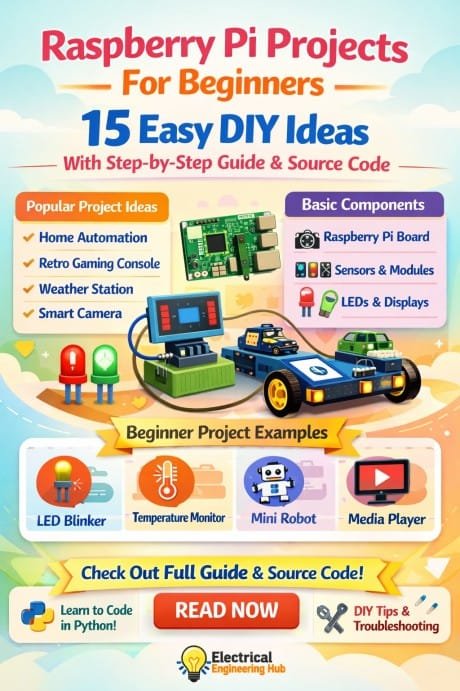
Table of Contents
Many students, hobbyists, and technology enthusiasts start with beginner Raspberry Pi ideas because they are simple to set up and require low-cost components. These projects also help improve coding skills using Python, Linux commands, GPIO pins, and sensor integration. With a few basic accessories and step-by-step instructions, anyone can start building useful electronics projects.
Find all about esp8266mod
The following guide covers 15 beginner-friendly Raspberry Pi ideas with setup instructions, required components, and source code examples.
Why Raspberry Pi Is Perfect For Beginners
Before starting these Raspberry Pi Projects For Beginners, it is important to understand why Raspberry Pi is so popular in the DIY electronics community.
| Feature | Benefit For Beginners |
|---|---|
| Low Cost | Affordable learning platform |
| Compact Size | Easy to place anywhere |
| GPIO Support | Connect sensors and modules |
| Python Compatibility | Simple coding language |
| Large Community | Thousands of tutorials available |
| Energy Efficient | Runs on low power |
Basic Requirements Before Starting
You will need the following items for most projects:
| Component | Purpose |
|---|---|
| Raspberry Pi Board | Main controller |
| MicroSD Card | Operating system storage |
| Power Supply | Power source |
| HDMI Cable | Display connection |
| Breadboard | Circuit testing |
| Jumper Wires | Connections |
| LEDs & Sensors | DIY components |
Here is a detailed guide on esp12f pinout
1. LED Blinking Project
This is one of the simplest Raspberry Pi Projects For Beginners and helps users understand GPIO pin control.
Components Required
- Raspberry Pi
- LED
- 220 Ohm resistor
- Breadboard
- Jumper wires
Step-by-Step Guide
- Connect the LED to GPIO pin 18.
- Add a resistor in series.
- Connect the negative leg to GND.
- Open Python editor.
- Run the script.
Source Code
import RPi.GPIO as GPIO
import time

GPIO.setmode(GPIO.BCM)
GPIO.setup(18, GPIO.OUT)

while True:
    GPIO.output(18, True)
    time.sleep(1)
    GPIO.output(18, False)
    time.sleep(1)
Explore details on esp32 wroom 32 uart pins
2. Temperature Monitoring System
This project measures room temperature using a sensor.
Components Required
| Item | Quantity |
|---|---|
| DHT11 Sensor | 1 |
| Raspberry Pi | 1 |
| Jumper Wires | 3 |
Steps
- Connect the DHT11 sensor.
- Install Python libraries.
- Run the monitoring script.
Source Code
import Adafruit_DHT

sensor = Adafruit_DHT.DHT11
pin = 4

humidity, temperature = Adafruit_DHT.read_retry(sensor, pin)

print("Temperature:", temperature)
print("Humidity:", humidity)
Know more about automatic power factor correction using arduino
3. Smart Motion Detection Alarm
Motion sensors are useful for home security systems.
Components
- PIR motion sensor
- Buzzer
- Raspberry Pi
Steps
- Connect PIR sensor output to GPIO 17.
- Connect buzzer to GPIO 18.
- Run the alarm script.
Source Code
import RPi.GPIO as GPIO
import time

PIR = 17
BUZZER = 18

GPIO.setmode(GPIO.BCM)
GPIO.setup(PIR, GPIO.IN)
GPIO.setup(BUZZER, GPIO.OUT)

while True:
    if GPIO.input(PIR):
        GPIO.output(BUZZER, True)
    else:
        GPIO.output(BUZZER, False)
Find all about nema 17 pinout
4. Raspberry Pi Weather Station
This beginner project displays environmental conditions.
Features
| Feature | Function |
|---|---|
| Temperature Reading | Weather tracking |
| Humidity Monitoring | Air condition analysis |
| Data Display | Real-time information |
Source Code
import random

temperature = random.randint(20,35)
humidity = random.randint(40,80)

print("Temperature:", temperature)
print("Humidity:", humidity)
5. Home Automation Light Control
This is one of the most practical Raspberry Pi Projects For Beginners.
Steps
- Connect relay module.
- Connect bulb with relay.
- Control using Python.
Source Code
import RPi.GPIO as GPIO

relay = 23

GPIO.setmode(GPIO.BCM)
GPIO.setup(relay, GPIO.OUT)

GPIO.output(relay, True)
6. Raspberry Pi Digital Clock
Create a live digital clock with Python.
Components
- Raspberry Pi
- Monitor
- Python installed
Source Code
from time import strftime

while True:
    print(strftime("%H:%M:%S"))
Know more about Raspberry Pi vs Arduino
7. Mini Retro Gaming Console
Retro gaming projects are fun for beginners.
Setup Process
| Step | Description |
|---|---|
| Install RetroPie | Gaming software |
| Configure Controllers | Input setup |
| Add ROMs | Game library |
Sample Launch Script
emulationstation
8. Smart Doorbell Camera
This project combines security and monitoring.
Components
- Raspberry Pi Camera
- Push Button
- Wi-Fi Connection
Source Code
from picamera import PiCamera
from time import sleep

camera = PiCamera()

camera.start_preview()
sleep(5)
camera.capture('/home/pi/image.jpg')
camera.stop_preview()
Know more about Arduino UNO R3 Pinout
9. Automatic Plant Watering System
This DIY automation project helps maintain plants.
Steps
- Connect soil moisture sensor.
- Add water pump relay.
- Run watering automation script.
Source Code
moisture = 300

if moisture < 500:
    print("Water Pump ON")
else:
    print("Water Pump OFF")
10. Raspberry Pi Media Server
Transform your device into a home entertainment system.
Benefits
| Benefit | Description |
|---|---|
| Stream Videos | Watch media remotely |
| Music Storage | Centralized library |
| Smart TV Access | Wireless entertainment |
Basic Installation Command
sudo apt install kodi
11. Face Detection Camera
Computer vision projects are excellent for learning AI basics.
Source Code
import cv2

face = cv2.CascadeClassifier('haarcascade_frontalface_default.xml')

cam = cv2.VideoCapture(0)

while True:
    ret, img = cam.read()
    gray = cv2.cvtColor(img, cv2.COLOR_BGR2GRAY)
    faces = face.detectMultiScale(gray, 1.3, 5)

    for (x,y,w,h) in faces:
        cv2.rectangle(img,(x,y),(x+w,y+h),(255,0,0),2)

    cv2.imshow('Face Detection', img)

    if cv2.waitKey(1) == 27:
        break
12. Wi-Fi Controlled Robot Car
This project introduces robotics and wireless communication.
Components Required
| Component | Purpose |
|---|---|
| Motor Driver | Motor control |
| DC Motors | Movement |
| Wi-Fi Module | Wireless operation |
| Battery Pack | Power supply |
Source Code
print("Robot Moving Forward")
Know more about Arduino Project Ideas For Final Year Student
13. Voice Assistant Project
Build a basic voice-controlled assistant using Python.
Features
- Voice commands
- Audio responses
- Web searches
Source Code
import speech_recognition as sr

r = sr.Recognizer()

with sr.Microphone() as source:
    print("Speak")
    audio = r.listen(source)

    text = r.recognize_google(audio)
    print(text)
14. Smart Mirror Display
A smart mirror can display weather, time, and news updates.
Setup Guide
- Install Raspberry Pi OS.
- Connect monitor behind mirror glass.
- Install dashboard software.
Sample Script
print("Smart Mirror Running")
Know more about How to Check Transistor With Multimeter
15. Raspberry Pi Security Camera
This project helps monitor homes and offices remotely.
Components
- Raspberry Pi Camera Module
- Wi-Fi
- Motion sensor
Source Code
from picamera import PiCamera
from time import sleep

camera = PiCamera()

camera.start_recording('/home/pi/video.h264')
sleep(10)
camera.stop_recording()
Tips To Succeed With Raspberry Pi DIY Projects
Many beginners face issues during their first setup. Following a few important tips can improve results and reduce troubleshooting time.
| Tip | Advantage |
|---|---|
| Use Official Power Supply | Stable performance |
| Update Raspberry Pi OS | Better compatibility |
| Start With Simple Projects | Faster learning |
| Keep Backup Of SD Card | Prevent data loss |
| Learn Basic Python | Easier project development |
Common Mistakes Beginners Should Avoid
Ignoring GPIO Pin Numbers
Always double-check GPIO numbering before connecting components.
Using Wrong Power Supply
Low-quality adapters may cause system crashes.
Incorrect Wiring
Wrong connections can damage sensors or LEDs.
Skipping Software Updates
Outdated packages can create compatibility problems.
Best Programming Languages For Raspberry Pi
Python remains the most popular option for Raspberry Pi Projects For Beginners because it is simple and beginner-friendly.
| Language | Best Use |
|---|---|
| Python | Automation and sensors |
| Scratch | Kids learning coding |
| C++ | Advanced performance |
| JavaScript | Web-based projects |
Know more about Types of Field Effect Transistor
Final Thoughts
Raspberry Pi Projects For Beginners provide a practical and affordable way to learn electronics, coding, automation, and smart technology. These projects are simple enough for students and hobbyists while still offering valuable hands-on experience. From LED blinking to smart home automation and robotics, every project improves technical understanding and confidence.
The best part about Raspberry Pi learning is flexibility. You can start with basic DIY electronics projects and gradually move toward advanced IoT systems, artificial intelligence applications, and automation solutions. By practicing these beginner Raspberry Pi ideas regularly, you can build real-world skills that are useful for education, freelancing, and professional development.
If you are starting your DIY technology journey, these Raspberry Pi Projects For Beginners are an excellent place to begin.
Find all about How to Connect A4988 to ESP32
Get new guides in your feed. Follow Electrical Insights on LinkedIn for new electrical standards guides, calculators and design tips from Azad Circuit Hub.
#RaspberryPiProjectsForBeginners,#RaspberryPi,#DIYElectronics,#BeginnerProjects,#IoTProjects,#PythonProgramming,#TechDIY,#ElectronicsProjects,#SmartHomeDIY,#CodingForBeginners
