
NEC 392.22(A)(3): Solid Bottom Trays Containing Any Mixture of Cables
NEC 392.22(A)(3) provides a specific cable fill requirement for solid-bottom cable trays containing a mixture of cables. This rule is important when designing industrial power, control, instrumentation, and communication cable tray systems because the available tray space cannot be treated as completely usable.
For solid-bottom trays, the NEC limits the total cable area based on the interior cross-sectional area of the tray. The purpose is to maintain adequate space for cable installation, heat dissipation, inspection, and future maintenance. Correctly applying this requirement also helps avoid an undersized tray that may create installation problems in the field.
| Quick Comparison | NEC Requirement | Practical Use |
|---|---|---|
| Solid-bottom tray with mixed cables | 40% maximum fill | Common mixed-cable installations |
| Solid-bottom tray interior area | 100% reference area | Used to calculate allowable fill |
| Maximum cable area | 40% of interior area | Determines usable cable capacity |
| Example: 12 in × 4 in tray | 19.2 in² maximum cable area | 48 in² × 40% |
| Example: 600 mm × 100 mm tray | 24,000 mm² maximum cable area | 60,000 mm² × 40% |
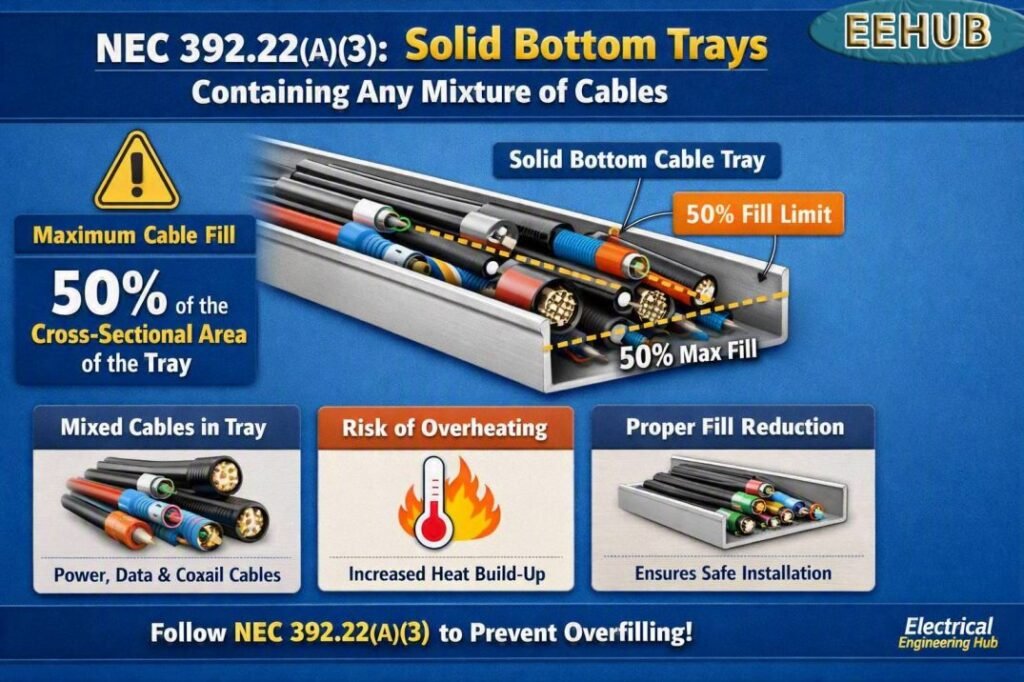
Table of Contents
Table of Contents
What NEC 392.22(A)(3) Covers
NEC 392.22(A)(3) addresses solid-bottom cable trays containing any mixture of cables. The key point is that cable fill is calculated using the actual interior dimensions of the tray rather than simply using the nominal tray width.
The maximum permitted cable area for this application is 40% of the tray’s interior cross-sectional area.
The basic calculation is:
Allowable cable area = Tray interior width × Tray interior depth × 0.40
For example, consider a solid-bottom tray with an interior width of 12 inches and an interior depth of 4 inches.
Tray area:
12 × 4 = 48 in²
Maximum cable area:
48 × 0.40 = 19.2 in²
Therefore, the combined cross-sectional area of the cables should not exceed 19.2 square inches under this 40% fill limitation.
This is one reason a cable tray capacity calculator can be useful during preliminary design. Cable tray capacity calculator tools can quickly compare cable areas with the permitted tray fill before the tray size is selected.
Why the 40% Cable Fill Limit Matters
The 40% limit is not simply a space-saving rule. Cable tray systems must provide sufficient room for safe installation and proper cable arrangement.
Overfilling a tray can create several practical problems:
- Reduced ventilation around cables
- Increased difficulty when pulling or laying cables
- Poor access for inspection
- Difficult cable identification
- Restricted maintenance access
- Greater chance of cable damage during installation
- Less room for future circuits
- Potential thermal concerns
Cable ampacity calculations and cable tray fill calculations are related, but they are not the same thing. A cable can have an acceptable ampacity while the proposed tray still fails its permitted fill requirement.
How to Calculate Solid-Bottom Tray Capacity
The calculation can be completed in four simple steps.
Step 1: Determine the Interior Tray Dimensions
Measure or obtain the manufacturer’s actual interior width and usable depth.
For a rectangular tray:
Interior area = Inside width × Inside depth
Do not automatically use the outside dimensions if the manufacturer’s data provides different internal dimensions.
Step 2: Calculate the Total Cable Area
Determine the cross-sectional area of every cable installed in the tray.
For a round cable, the approximate cross-sectional area is:
Cable area = π × D² ÷ 4
where D is the cable’s outside diameter.
For multiple cables:
Total cable area = Number of cables × Area of one cable
When different cable sizes are installed, calculate each group separately and then add the areas.
Step 3: Calculate the Maximum Permitted Area
For the 40% requirement:
Maximum cable area = Interior tray area × 0.40
Step 4: Compare the Results
The total cable area must be compared with the permitted cable area.
If:
Total cable area ≤ 40% allowable area
the tray meets the applicable fill calculation based on this criterion.
If the cable area exceeds the permitted value, select a wider or deeper tray, reduce the number of cables, or redesign the cable arrangement.
Worked Example for a Solid-Bottom Cable Tray
Suppose an industrial installation uses a solid-bottom tray with an interior width of 18 inches and an interior depth of 4 inches.
The tray’s interior area is:
18 × 4 = 72 in²
Applying the 40% limit:
72 × 0.40 = 28.8 in²
Therefore, the maximum calculated cable area is 28.8 in².
Now assume the proposed cable arrangement has a combined cross-sectional area of 25.5 in².
| Calculation | Result |
|---|---|
| Tray interior width | 18 in |
| Tray interior depth | 4 in |
| Interior cross-sectional area | 72 in² |
| Maximum fill percentage | 40% |
| Maximum cable area | 28.8 in² |
| Proposed cable area | 25.5 in² |
| Remaining calculated capacity | 3.3 in² |
The proposed cable area is below the calculated 28.8 in² limit.
However, a designer should still check the complete installation against all applicable NEC requirements, including cable type, ampacity, spacing, grounding, support, environmental conditions, and manufacturer’s installation instructions.
Cable Diameter and Tray Fill
Cable diameter has a major effect on tray capacity. A small increase in cable diameter can produce a much larger increase in cross-sectional area because the area of a round cable is proportional to the square of its diameter.
For example:
| Cable Outside Diameter | Approx. Cross-Sectional Area |
|---|---|
| 0.50 in | 0.196 in² |
| 0.75 in | 0.442 in² |
| 1.00 in | 0.785 in² |
| 1.25 in | 1.227 in² |
| 1.50 in | 1.767 in² |
| 2.00 in | 3.142 in² |
These values are geometric approximations. Always use the manufacturer’s published cable dimensions when performing a project-specific tray calculation.
For larger installations, cable tray capacity calculator methods are particularly useful because dozens or even hundreds of cables may need to be evaluated.
Solid-Bottom Tray vs Ladder-Type Tray
A solid-bottom tray differs from a ladder-type tray in its construction and cable arrangement. A solid bottom provides a continuous surface beneath the cables, while ladder trays use transverse rungs with open space between them.
The tray configuration can affect the applicable NEC calculation. Designers should therefore identify the exact tray type before applying a fill percentage.
| Feature | Solid-Bottom Tray | Ladder-Type Tray |
|---|---|---|
| Bottom construction | Continuous | Open/rung construction |
| Cable support | Continuous surface | Supported by rungs |
| Typical use | Power, control and mixed wiring | Power and industrial cabling |
| Fill calculation | Depends on applicable NEC rule | Depends on cable arrangement |
| Ventilation | Lower than open ladder design | Generally better airflow |
| Cable protection | Continuous bottom support | More open construction |
Do not assume that the fill rule for one cable tray construction automatically applies to another.
Mixed Cable Installations
A major reason this NEC requirement deserves attention is the phrase “any mixture of cables.” Industrial trays often contain different cable types and sizes in the same raceway system.
A single tray may contain:
- Multiconductor power cables
- Control cables
- Instrumentation cables
- Motor feeder cables
- Tray cable
- Communication cables
- Other permitted wiring methods
The designer should identify every cable installed in the tray and determine whether the proposed combination is permitted by the applicable NEC provisions.
The physical cable area is only one part of the design. Separation requirements, electromagnetic interference concerns, circuit classification, voltage levels, cable listing, and installation conditions may also need review.
Common Cable Tray Sizing Mistakes
Several mistakes repeatedly occur during cable tray sizing.
Using Nominal Tray Dimensions
A tray marketed as 24 inches wide may not have exactly 24 inches of usable interior width. Manufacturer dimensions should be checked before performing the final calculation.
Ignoring Cable Outside Diameter
Cable conductor size alone does not determine physical tray occupancy. Insulation, shielding, armor, jacket thickness, and overall construction can significantly increase cable diameter.
Treating 40% as a Target
The 40% value is a maximum limit for the applicable installation, not a recommendation that every tray should be filled to exactly 40%.
Leaving additional room can make future expansion and maintenance easier.
Confusing Ampacity With Fill
A cable may be electrically suitable for a circuit while the proposed tray still has insufficient physical capacity.
Both electrical loading and physical installation requirements must be evaluated.
Forgetting Future Cables
A tray designed with little spare space can become difficult to modify when new circuits are added. Planning additional capacity can reduce future installation costs.
Cable Tray Capacity Planning
For a large project, begin by creating a cable schedule containing the cable tag, cable type, quantity, outside diameter, and calculated cross-sectional area.
A simple planning table can look like this:
| Cable Type | Quantity | Outside Diameter | Approx. Area Each | Total Area |
|---|---|---|---|---|
| Power cable | 12 | 1.20 in | 1.131 in² | 13.57 in² |
| Control cable | 20 | 0.45 in | 0.159 in² | 3.18 in² |
| Instrument cable | 15 | 0.35 in | 0.096 in² | 1.44 in² |
| Total | 47 | — | — | 18.19 in² |
The calculated total can then be compared with the allowable tray area.
For larger cable schedules, using a cable tray capacity calculator can reduce manual calculations and make it easier to test different tray widths and depths.
NEC Cable Tray Design Checklist
Before approving a solid-bottom cable tray installation, review the following:
- Confirm the cable tray construction and dimensions.
- Obtain actual cable outside diameters from manufacturer data.
- Calculate the interior cross-sectional area.
- Apply the applicable NEC fill requirement.
- Calculate the combined cable area.
- Check cable types and permitted tray applications.
- Review cable ampacity and adjustment requirements where applicable.
- Check grounding and bonding requirements.
- Verify tray support and installation requirements.
- Allow practical space for maintenance and future expansion.
The final design should always be checked against the NEC edition adopted by the authority having jurisdiction and any applicable local amendments.
Frequently Asked Questions
What is the maximum fill under NEC 392.22(A)(3)?
For the solid-bottom tray application addressed by NEC 392.22(A)(3), the cable area is limited to 40% of the applicable interior cross-sectional area. The exact installation should be evaluated against the complete NEC requirements and adopted code edition.
How is cable tray fill calculated?
Calculate the tray’s interior width multiplied by its usable interior depth, then apply the permitted fill percentage. The cable areas are calculated from their actual outside dimensions and added together for comparison.
Does cable diameter matter for tray capacity?
Yes. Cable tray occupancy depends on the physical cross-sectional area of the cables. For round cables, area increases with the square of cable diameter, so larger cables consume capacity rapidly.
Can different cable sizes be installed in the same solid-bottom tray?
A mixture of cables can be installed when permitted by the applicable NEC requirements. The designer must consider cable type, circuit characteristics, tray construction, fill, separation, ampacity, and other applicable provisions.
Should I use the 40% value for every cable tray?
No. Cable tray fill requirements depend on the specific tray construction, cable arrangement, and applicable NEC provision. Do not apply the 40% value universally without first identifying the relevant section and installation conditions.
Final Takeaway
NEC 392.22(A)(3) is an important consideration when sizing solid-bottom cable trays containing a mixture of cables. The 40% maximum cable-area limit provides a clear starting point for determining whether a proposed tray has sufficient physical capacity.
Accurate cable dimensions are essential because the outside diameter, rather than conductor size alone, determines the physical space occupied by each cable. A proper design should also consider ampacity, cable type, tray construction, grounding, support, environmental conditions, and future expansion.
For projects with many circuits, using a cable tray capacity calculator can make the sizing process faster and help compare different tray dimensions before finalizing the design.
Get new guides in your feed. Follow Electrical Insights on LinkedIn for new electrical standards guides, calculators and design tips from Azad Circuit Hub.
NEC392, #CableTray, #NECCode, #ElectricalEngineering, #CableTrayFill, #NEC39222, #CableInstallation, #ElectricalCode, #SolidBottomTray, #CableManagement
