Best Label Maker for Control Panel Wire Marking: Brother PT-D600 is Good Choice?
Choosing the best label maker for control panel wire marking is important when you need clear, durable identification inside electrical panels. Wire numbers, terminal references, PLC I/O labels, and cable IDs must remain readable after installation and maintenance work.
As an electrical engineer with more than 15 years of field experience in control panels, industrial automation, PLCs, and SCADA systems, I look at label makers from a practical engineering perspective. Print quality matters, but so do tape durability, character size, formatting options, and how quickly you can produce replacement wire markers.
For control-panel work, the Brother PT-D600 stands out because it combines a dedicated keyboard and color display with PC connectivity and high-resolution printing.
Best Label Maker for Control Panel Wire Marking at a Glance
| Feature | Brother PT-D600 |
|---|---|
| Model | PT-D600 |
| Type | Desktop label maker |
| PC Connectivity | Yes |
| Display | Color display |
| Printing | High-resolution |
| Tape System | Brother TZe tapes |
| Suitable For | Wire IDs, terminals, panels, equipment labels |
| Best Feature | PC-connected professional label creation |
The PT-D600 is particularly useful when you need consistent labels across a control cabinet. You can create labels directly on the unit or connect it to a computer for more detailed layouts.
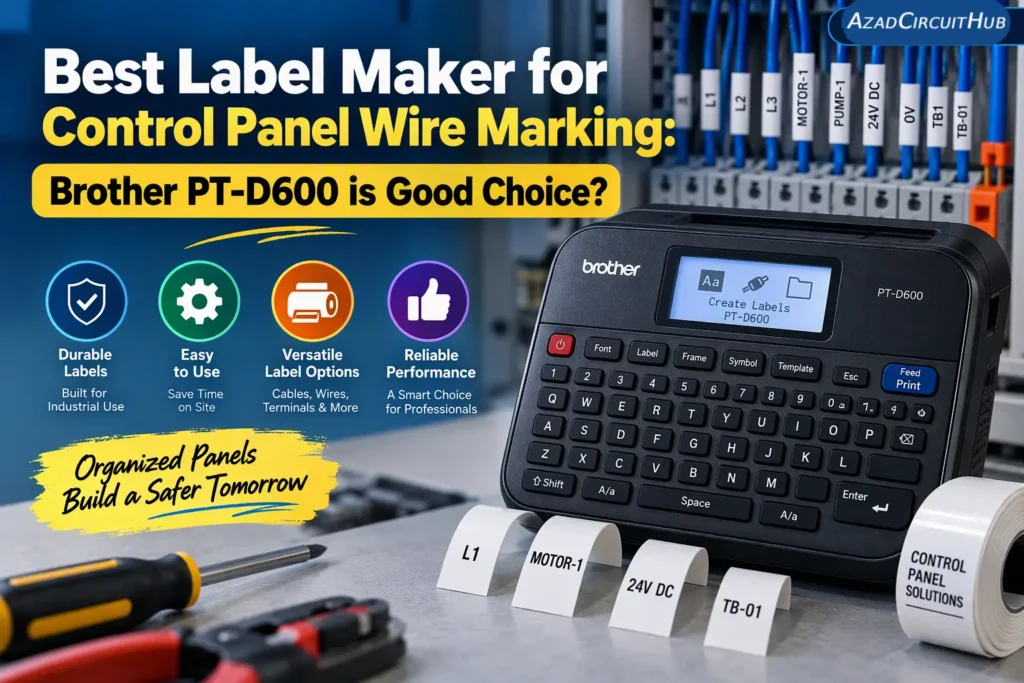
Table of Contents
Table of Contents
Why Use a Dedicated Label Maker for Control Panels?
Handwritten wire markers may work for temporary troubleshooting, but they are not ideal for a finished control panel. Printed identification gives technicians a much easier way to trace circuits and understand wiring.
A good control panel label maker can be used for:
- PLC input and output identification
- Terminal block numbers
- Control wires
- Motor starter wiring
- Relay and contactor connections
- Sensor cables
- Network and communication cables
- Panel component identification
- Cable numbers
- Maintenance replacement labels
For repetitive panel work, the ability to reproduce the same label format is especially useful.
Brother PT-D600 for Electrical Wire Marking
The Brother PT-D600 is designed for users who need more than a basic handheld label printer. Its color display makes label creation easier, while PC connectivity gives you additional control over formatting and larger label projects.
For an electrical workshop, one useful advantage is repeatability. Once you establish a suitable label format for wire numbers or terminal references, you can create additional labels without manually rewriting each identification.
The high-resolution printing is also helpful when working with small characters. This matters inside control cabinets where wire numbers may need to fit into a limited space.
Check the Brother PT-D600 price and current Amazon availability: Buy Brother PT-D600 on Amazon
Key Features for Control Panel Work
| Feature | Why It Matters |
|---|---|
| Color display | Easier label design and preview |
| PC connection | Useful for larger label jobs |
| High-resolution printing | Helps maintain readable small text |
| TZe tape compatibility | Provides different tape choices |
| Standalone operation | Labels can be created without a computer |
| Multiple formatting options | Useful for different wire and equipment IDs |
The biggest advantage is flexibility. A technician can make a quick replacement label at the bench or prepare a larger batch of panel labels from a computer.
Label Tape Selection Matters
The printer itself is only part of the labeling system. The tape must also suit the application.
For control-panel wire marking, consider the wire diameter, available label space, environmental conditions, and required character size before selecting tape.
Common considerations include:
- Tape width
- Black-on-white printing
- Black-on-yellow printing
- Laminated tape
- Small wire identification
- Equipment labels
- Terminal and component identification
For wires, avoid choosing a tape simply because it is the widest or cheapest option. A compact label that wraps neatly around the conductor or cable can be easier to read and maintain.
If you want to compare the PT-D600 with another popular Brother model, see my Brother PT-D600 Review for a closer look at its features and practical applications.
Is the Brother PT-D600 Good for Electricians?
Yes, particularly for electricians, panel builders, automation technicians, and maintenance teams that regularly produce professional identification labels.
The PC connection is valuable when a project contains hundreds of wire numbers. Instead of entering every label manually, you can prepare a structured label project and maintain consistent formatting.
For a small workshop, the PT-D600 can also serve as a general-purpose equipment label maker. You can use it for control wires one day and panel component or cable identification the next.
Buying Considerations
Before purchasing, check these points:
- Tape availability: Make sure the tape sizes and types you need are readily available.
- Label width: Small wire IDs may need narrow tape, while equipment labels can require wider tape.
- PC compatibility: Check the computer and software requirements if PC-based label creation is important.
- Power requirements: Consider where you will normally use the printer.
- Replacement tape cost: Frequent panel work can consume tape quickly.
For professional panel-building work, these running costs can matter more than the initial printer price.
Brother PT-D600 vs Basic Label Makers
A basic handheld label maker may be adequate for occasional household labels, but control-panel work often demands better organization and repeatability.
The PT-D600 makes more sense when you regularly identify control wires, terminal strips, PLC I/O points, or electrical components. Its PC connectivity is particularly useful for larger projects.
If you are working on a single small panel, a simpler unit may be enough. For an electrical workshop handling repeated projects, the PT-D600 offers considerably more flexibility.
For a detailed model-specific comparison, continue to my Brother PT-D600 Review.
Frequently Asked Questions
What is the best label maker for control panel wire marking?
The Brother PT-D600 is a strong choice for control-panel wire identification because it offers high-resolution printing, a color display, PC connectivity, and support for Brother TZe tapes.
Can the Brother PT-D600 print small wire numbers?
Yes. Its high-resolution printing and range of compatible tape widths make it suitable for producing compact identification labels. The appropriate tape width should be selected according to the wire and available marking space.
What tape should I use for electrical control panels?
Use a tape that provides suitable readability and durability for the environment. For control panels, consider laminated tape, appropriate width, contrast, and resistance requirements before selecting the specific tape.
Is a PC-connected label maker useful for control panel wiring?
Yes. PC connectivity can save time on larger projects because wire numbers, terminal references, and equipment IDs can be prepared and formatted more efficiently.
Is the Brother PT-D600 suitable for electricians?
The PT-D600 is well suited to electricians, panel builders, automation technicians, and maintenance professionals who need repeatable printed identification for wires, cables, terminals, and electrical equipment.
Get new guides in your feed. Follow Electrical Insights on LinkedIn for new electrical standards guides, calculators and design tips from Azad Circuit Hub.
#BestLabelMaker, #ControlPanelWireMarking, #WireLabeling, #ElectricalLabels, #ControlPanelWiring, #WireMarkers, #ElectricianTools, #PanelWiring, #CableIdentification, #LabelMaker