
Why Is My Tesla Charger Blinking Red? Causes and Fixes
If your Tesla charger blinking red has become a problem, the charger may have detected a connection fault, overheating, a power supply issue, or a problem with the charging equipment. The correct fix depends on whether you use a Tesla Wall Connector, Mobile Connector, or a public Tesla charging station.
In many cases, you can identify the cause by checking the LED pattern, inspecting the charging cable, and restarting the charger safely. However, repeated faults may require an electrician or Tesla service.
Tesla Charger Blinking Red: Common Causes and Fixes
| Possible Cause | Common Sign | Recommended Action |
|---|---|---|
| Charging connector problem | Charging stops unexpectedly | Disconnect and reconnect the plug |
| Power supply fault | Red light with charging failure | Check the supply and circuit breaker |
| Overheating | Charging stops after some time | Let the equipment cool |
| Ground fault | Fault indication during charging | Stop charging and arrange an inspection |
| Internal charger fault | Red light returns after restart | Contact Tesla support |
| Communication error | Vehicle does not start charging | Check the connector and vehicle charging port |
The exact meaning of a red light varies by Tesla charger model and LED pattern. Check the model-specific manual before deciding which fault has occurred.
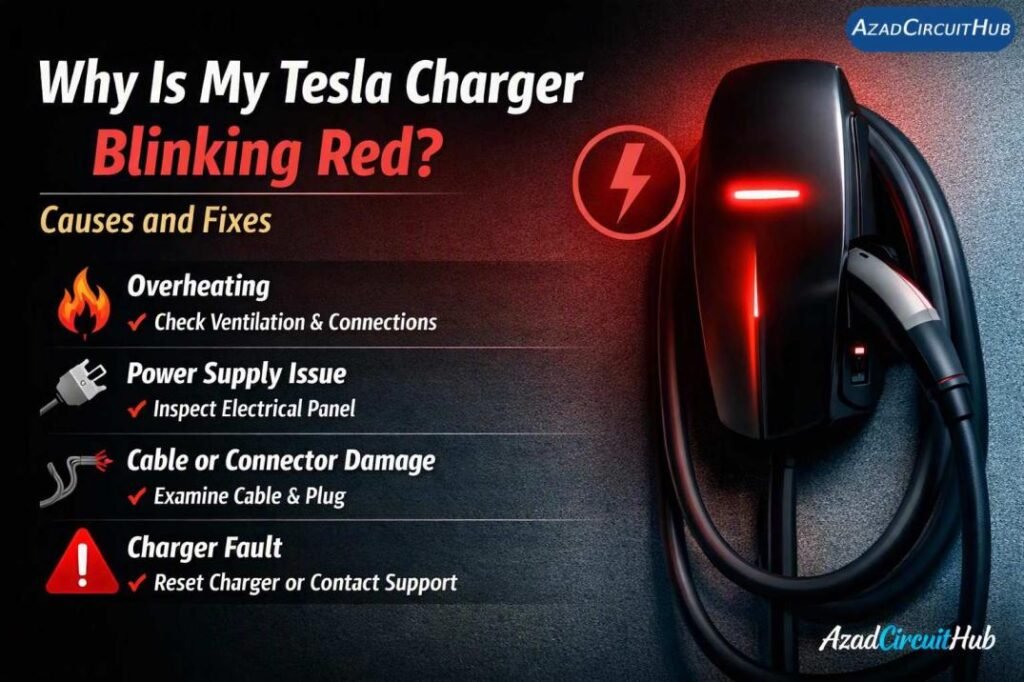
Table of Contents
Table of Contents
Why Is My Tesla Charger Blinking Red?
A red LED generally indicates a fault on a Tesla Wall Connector, but the number of flashes and the model determine the meaning. A Tesla Mobile Connector can also report faults through its indicator lights.
1. Loose or Poor Charging Connection
A poorly seated charging connector can prevent the vehicle from starting or completing a charging session. Dirt, moisture, or damage around the connector may also interfere with charging.
How to fix it:
- Stop the charging session.
- Remove the connector using the normal release procedure.
- Check the plug and vehicle charging port for visible damage or debris.
- Reconnect the plug firmly.
- Try charging again.
Never insert tools into the connector or attempt to clean electrical contacts while the equipment is energized.
2. Power Supply or Circuit Breaker Problem
A Tesla home charger needs a suitable electrical supply. A tripped breaker, loose electrical connection, incorrect supply voltage, or wiring fault may interrupt charging.
| Symptom | Possible Cause | Next Step |
|---|---|---|
| Charger has no lights | Loss of power or equipment fault | Check the breaker safely |
| Red light appears after charging starts | Supply or charging fault | Check the model’s fault guide |
| Charging stops during heavy household loads | Possible supply or circuit issue | Have the installation checked |
| Fault returns after a reset | Persistent electrical problem | Contact an electrician |
If the breaker trips repeatedly, do not keep resetting it. A qualified electrician should inspect the circuit, protective devices, wiring, and charger connections.
3. Overheating at the Connector or Charger
Excessive heat can interrupt charging and may cause equipment to report a fault. Possible causes include a damaged connector, poor electrical contact, high ambient temperature, or an installation problem.
Stop charging if you notice unusual heat, a burning smell, discoloration, or melted plastic. Do not touch exposed or damaged electrical parts. Arrange professional inspection before using the charger again.
4. Ground Fault or Internal Hardware Failure
Tesla charging equipment monitors electrical conditions to help protect the vehicle and user. A ground fault, internal component problem, or another detected electrical fault may prevent charging.
If the Tesla charger blinking red condition continues after checking the connection and following the manufacturer’s reset procedure, avoid opening the charger enclosure. Internal inspection and electrical testing should be performed by qualified personnel.
For other EV charging equipment, see our guide to ev charger red light blinking for common fault symptoms and troubleshooting steps.
How to Reset a Tesla Home Charger
A reset may clear a temporary fault, but it will not repair damaged wiring or a defective component.
- Stop the charging session through the vehicle or charging interface.
- Disconnect the charging connector using the normal procedure.
- Check the charger and cable for visible damage.
- Follow the reset instructions for your specific Wall Connector or Mobile Connector.
- Reconnect the vehicle and check whether charging resumes.
Do not repeatedly cycle the circuit breaker to clear a persistent fault. If the charger reports the same error, record the LED pattern and contact Tesla support or a qualified electrician.
When to Check Your Tesla Charging Installation
If the fault appears repeatedly, the installation may need a closer inspection. This is especially important when charging stops under heavy load or when the charger has recently been installed.
| Inspection Item | Why It Matters |
|---|---|
| Circuit breaker rating | Must match the approved installation design |
| Cable size | Must support the circuit load and installation conditions |
| Earthing and protection | Helps ensure safe operation |
| Terminal connections | Loose connections can create heat |
| Charger configuration | Must match the supply and installation |
| Cable and connector condition | Damage may cause charging interruptions |
Use the EV Charger Cable Size Calculator as a preliminary reference when assessing conductor size. Final sizing must follow the charger manufacturer’s instructions and applicable electrical code, including the required continuous-load rating, installation method, and voltage-drop limits.
Frequently Asked Questions
1. Why is my Tesla Wall Connector blinking red?
A red LED usually indicates a detected fault. The exact cause depends on the Wall Connector generation and flash pattern. Check the model-specific troubleshooting guide to identify the fault before resetting the charger.
2. Can I fix a Tesla charger blinking red by restarting it?
A restart may clear a temporary fault. Follow the manufacturer’s reset procedure for your model. If the red light returns, investigate the reported fault rather than repeatedly restarting the charger.
3. Is it safe to use a Tesla charger with a red light?
Do not assume it is safe. Stop charging if the charger reports a fault, particularly if there is unusual heat, visible damage, a burning smell, or repeated breaker trips. Resume use only when the cause has been addressed.
4. Why does my Tesla charger turn red only sometimes?
Intermittent faults may be related to a poor connection, supply fluctuations, overheating, or a problem that occurs only under certain charging conditions. Record when the fault appears and check the LED pattern.
5. Does a red light mean my Tesla Wall Connector needs replacement?
Not always. Some faults result from a temporary condition or an installation issue. Replacement may be necessary if testing confirms an internal hardware failure, but diagnosis should come first.
Final Thoughts
A Tesla charger blinking red is a warning that should not be ignored. Start by identifying the charger model and exact LED pattern, then check the connector and follow the manufacturer’s troubleshooting instructions. Persistent faults, electrical problems, overheating, or visible damage require professional attention.
Correct diagnosis helps restore charging safely and prevents unnecessary replacement of equipment that may still be working properly.
Get new guides in your feed. Follow Electrical Insights on LinkedIn for new electrical standards guides, calculators and design tips from Azad Circuit Hub.
#TeslaChargerBlinkingRed, #TeslaCharging, #TeslaCharger, #TeslaEVCharger, #TeslaChargingProblems, #EVChargerTroubleshooting, #TeslaHomeCharging, #EVCharging, #TeslaErrorCodes, #ElectricVehicle
