
Best Surge Protection for Computers: Ultimate Guide to Safeguard Your PC from Power Spikes
In today’s digital world, computers are at the heart of our work, study, and entertainment. A sudden power surge can damage sensitive components, corrupt data, or even render your PC unusable. Choosing the best surge protection for computers is not just a precaution—it’s a necessity. With so many options available, understanding what makes a surge protector reliable and effective can save you significant time, money, and stress. This guide will provide practical insights, comparisons, and expert tips to help you protect your valuable computer equipment.
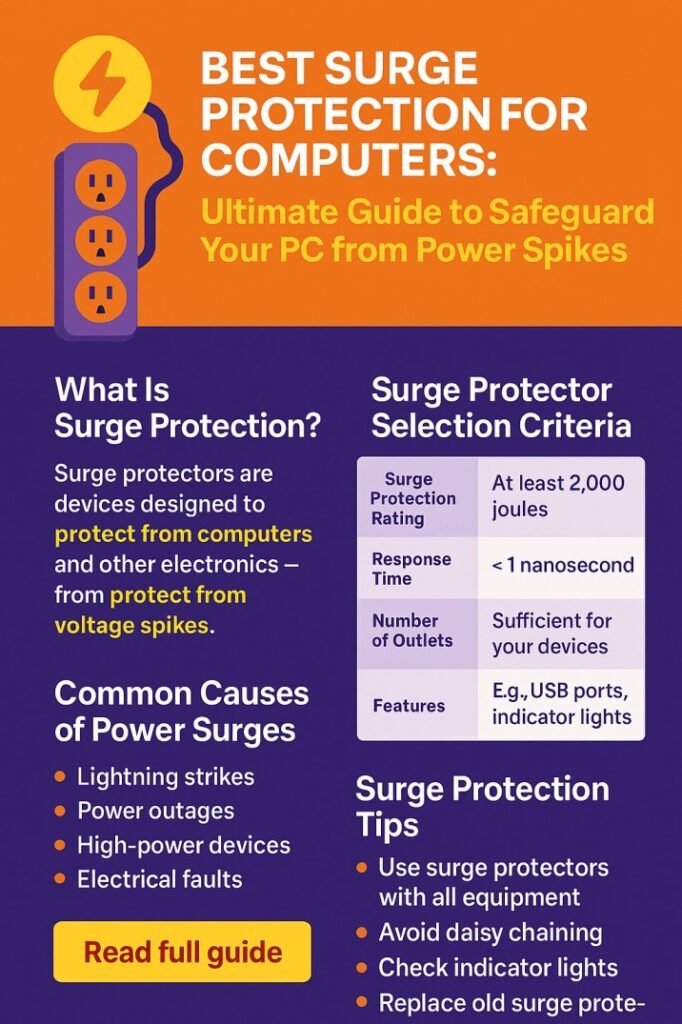
Table of Contents
Why Surge Protection Is Critical for Computers
Power surges are sudden spikes in voltage that can occur due to lightning strikes, faulty wiring, or electrical grid fluctuations. Even a minor surge can harm delicate computer components such as the motherboard, CPU, RAM, and storage devices. The best surge protection for computers absorbs excess voltage and prevents it from reaching your devices, ensuring both safety and longevity.
Many users underestimate the risk, thinking that modern PCs are resilient. However, most consumer electronics are rated for standard voltage ranges, and any deviation can cause irreversible damage. Surge protectors act as a buffer, diverting excess voltage to the ground line. Investing in a high-quality surge protector is a small cost compared to the potential loss of an entire system.
Key Features of the Best Surge Protection for Computers
When selecting the best surge protection for computers, certain features distinguish high-quality units from mediocre ones.
| Feature | Why It Matters | Recommended Value |
|---|---|---|
| Joule Rating | Measures the energy absorption capacity. Higher is better. | 600–2000 Joules for computers |
| Clamping Voltage | Voltage level at which the surge protector activates. | 330V–400V for sensitive electronics |
| Response Time | How quickly the protector reacts to a surge. | Less than 1 nanosecond is ideal |
| Number of Outlets | Ensures you can protect multiple devices. | 6–12 outlets depending on setup |
| USB/Network Protection | Safeguards data lines along with power. | Included for modern setups |
| Warranty/Equipment Coverage | Offers compensation if the protector fails. | At least $50,000 coverage |
Selecting a surge protector with these features ensures comprehensive defense against both minor and severe surges.
Types of Surge Protectors
Surge protectors come in several designs, each suitable for different setups.
Power Strip Surge Protectors
These are common for home and office PCs. They combine multiple outlets with surge protection. Ideal for desktop setups with monitors, printers, and speakers. Ensure it has a sufficient joule rating and clamping voltage.
Rack-Mount Surge Protectors
Designed for server rooms or professional studios, these protect multiple high-powered systems. They often provide additional features like EMI/RFI noise filtering and remote monitoring.
Standalone Surge Protectors
These are single-outlet devices intended for high-value components like gaming PCs or workstations. They provide maximum protection for critical devices without cluttering your setup.
UPS with Surge Protection
Uninterruptible Power Supplies (UPS) not only provide surge protection but also backup power during outages. While slightly more expensive, a UPS is ideal for preventing data loss and hardware damage during sudden blackouts.
Know more about Top 12 Electrical Testing Equipment Suppliers in USA
How to Choose the Best Surge Protection for Computers
Choosing the right surge protector involves assessing your needs, the devices to protect, and the level of risk. Here are some practical tips:
- Calculate Total Load – Consider all devices plugged into the surge protector. Check their power ratings to ensure the unit can handle the load without overheating.
- Check Joule Rating – For a standard desktop PC, a surge protector with 1000–1500 Joules is sufficient. For professional setups with multiple devices, aim for 2000 Joules or more.
- Look for Low Clamping Voltage – The lower the clamping voltage, the faster the device reacts to a spike. For computers, 330V is ideal.
- Consider Warranty and Coverage – Some surge protectors offer warranties or equipment coverage, providing peace of mind if a surge damages your system.
- USB and Data Line Protection – Modern computers rely on USB peripherals and internet connections. Protecting these lines can prevent damage to your data and devices.
Common Myths About Surge Protection
There are misconceptions about surge protectors that can lead to poor choices. Understanding these myths helps in making informed decisions.
- Myth 1: Cheap Power Strips Offer Protection – Standard power strips may have multiple outlets but lack surge protection. Only surge-rated devices can absorb spikes.
- Myth 2: Surge Protectors Last Forever – Surge protectors degrade over time as they absorb surges. Replacing them every 2–3 years is recommended, depending on usage and electrical conditions.
- Myth 3: Only Lightning Causes Surges – Surges can occur due to internal causes like switching heavy appliances on the same circuit or grid fluctuations.
Know more about Best Megger Testers for Industrial Use
Top Surge Protector Recommendations
To help you find the best surge protection for computers, here’s a table of popular, reliable options:
| Model | Joule Rating | Outlets | Additional Features | Ideal For |
|---|---|---|---|---|
| APC SurgeArrest 11 | 2880 | 11 | USB ports, telephone/network protection | Home/office desktops |
| Belkin 12-Outlet Pivot-Plug | 3940 | 12 | Rotating outlets, high joule rating | Multi-device setups |
| CyberPower PDU81005 | 1000 | 8 | LED status, EMI/RFI filtering | Gaming PCs and workstations |
| Tripp Lite Isobar 6 | 3330 | 6 | Isolated filter banks, metal housing | High-end desktops and audio/video equipment |
| Eaton 9PX UPS | 2000+ | 8 | UPS backup, surge protection | Servers and professional studios |
These models balance durability, protection, and affordability, making them top choices for personal and professional computer systems.
Tips to Maximize Surge Protector Effectiveness
Even the best surge protection for computers requires proper usage. Follow these tips for maximum safety:
- Avoid Daisy-Chaining – Plugging multiple surge protectors together can reduce effectiveness and create hazards.
- Place Away from Heat Sources – Excess heat can degrade the protective components.
- Monitor Indicator Lights – Most surge protectors have LED indicators showing protection status. Replace the unit if the light is off.
- Use Separate Lines for High-Power Appliances – Heavy appliances like air conditioners or microwaves can cause surges on the same circuit. Keep computers on a dedicated surge protector.
- Regularly Inspect and Replace – Surge protectors wear out over time. Check for burn marks, discoloration, or decreased performance.
Explore all about Best Surge Protection Extension Lead UK 2026 – Top-Rated Picks for Ultimate Device Safety
Additional Considerations
For professionals with sensitive or high-value systems, additional layers of protection can be considered:
- Whole-House Surge Protection – Installed at the main panel, it prevents surges from entering your home wiring.
- Lightning Arrestors – Useful in regions prone to storms, these devices direct extreme surges safely to the ground.
- Voltage Regulators – Maintain stable voltage output, preventing minor fluctuations from reaching your computer.
Know more about best budget gaming laptop under 500
Conclusion
Choosing the best surge protection for computers is essential for safeguarding your investment. From basic desktop setups to professional workstations, the right surge protector ensures that your PC continues to perform reliably and protects your data. By considering joule ratings, clamping voltage, response time, and additional features like USB and network protection, you can make an informed choice. Combining proper surge protection with best practices, such as avoiding daisy-chaining and monitoring device health, will give you long-term security and peace of mind.
Follow Us on Social:
Subscribe our Newsletter on Electrical Insights for latest updates from Electrical Engineering Hub