ESP32 Encoder Example – Complete Guide to Rotary Encoder Interfacing with ESP32 (Arduino Code)
Rotary encoders are widely used in embedded electronics to measure rotation, position, and direction. When working with microcontrollers, learning an ESP32 encoder example is one of the best ways to understand how digital inputs can be used to track motion accurately. The ESP32 is powerful, has multiple GPIO pins, and supports interrupts, making it ideal for encoder-based projects.
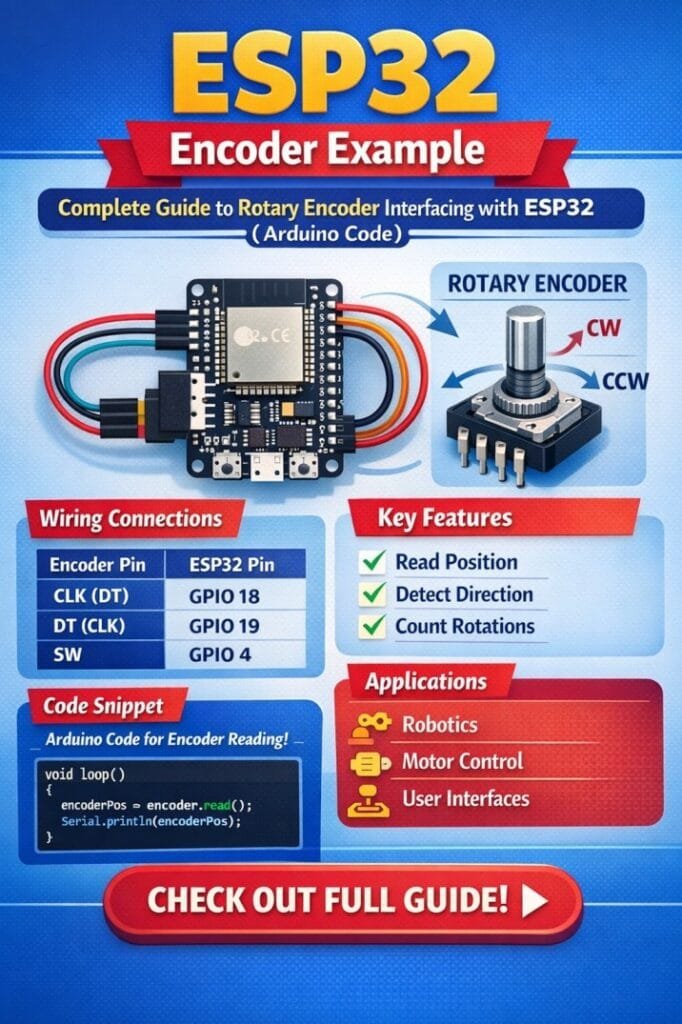
Table of Contents
In this guide, you will learn a practical ESP32 encoder example, understand how rotary encoders work, how to connect them to ESP32, and how to write Arduino code to read encoder pulses. By the end of this tutorial, you will be able to use a rotary encoder for projects like menu navigation, motor control, and position measurement.
Understanding Rotary Encoders
Before implementing an ESP32 encoder example, it is important to understand how a rotary encoder works.
A rotary encoder is an electromechanical device that converts rotational movement into electrical signals. These signals allow a microcontroller to determine the direction and number of steps of rotation.
Explore details on a4988 esp32
There are two common types of rotary encoders:
| Encoder Type | Description | Typical Use |
|---|---|---|
| Incremental Encoder | Generates pulses as the shaft rotates | Speed measurement, menu control |
| Absolute Encoder | Provides a unique position value for each shaft position | Robotics and industrial automation |
Most hobby electronics projects use incremental rotary encoders, which produce two digital signals known as Channel A and Channel B.
These two signals are slightly out of phase, which allows the ESP32 to determine rotation direction.
Working Principle of a Rotary Encoder
A typical rotary encoder has three main pins:
- CLK (Channel A)
- DT (Channel B)
- SW (Push Button)
Know more about ESP12F vs ESP8266: Comprehensive Comparison for IoT Projects and Smart Applications
When the shaft rotates, CLK and DT generate square wave pulses. The order in which these pulses appear determines the rotation direction.
| Signal Change | Rotation Direction |
|---|---|
| CLK leads DT | Clockwise |
| DT leads CLK | Counter-Clockwise |
In an ESP32 encoder example, the microcontroller continuously reads these signals to update the position count.
Why Use ESP32 with a Rotary Encoder
The ESP32 offers several advantages when implementing a rotary encoder interface.
- High processing speed
- Multiple interrupt-capable GPIO pins
- Built-in pull-up resistors
- WiFi and Bluetooth integration
- Compatible with Arduino IDE
These features make ESP32 suitable for projects such as:
- Digital volume control
- Motor speed adjustment
- CNC position monitoring
- User interface navigation
- Industrial control panels
Using a well-designed ESP32 encoder example, you can easily detect rotation direction and step count.
Know more about Programmable Logic Controller vs Arduino
ESP32 Encoder Wiring Diagram
Connecting a rotary encoder to ESP32 is straightforward. The encoder typically has five pins including power and ground.
Below is the basic connection table for a typical ESP32 encoder example.
| Rotary Encoder Pin | ESP32 Pin | Function |
|---|---|---|
| VCC | 3.3V | Power supply |
| GND | GND | Ground |
| CLK | GPIO 18 | Encoder channel A |
| DT | GPIO 19 | Encoder channel B |
| SW | GPIO 21 | Push button input |
It is recommended to enable internal pull-up resistors to ensure stable signal readings.
Know more about Best WiFi Modules for Smart Home Projects (ESP8266, ESP32, ESP12F)
Components Required
To build this ESP32 encoder example, you will need the following components.
| Component | Quantity |
|---|---|
| ESP32 Development Board | 1 |
| Rotary Encoder Module | 1 |
| Breadboard | 1 |
| Jumper Wires | Several |
| USB Cable | 1 |
These components are commonly available and easy to assemble.
ESP32 Encoder Example Arduino Code
Now let’s implement the practical ESP32 encoder example using Arduino IDE.
#define CLK 18
#define DT 19
#define SW 21

int counter = 0;
int currentStateCLK;
int lastStateCLK;

void setup() {

  Serial.begin(115200);

  pinMode(CLK, INPUT);
  pinMode(DT, INPUT);
  pinMode(SW, INPUT_PULLUP);

  lastStateCLK = digitalRead(CLK);
}

void loop() {

  currentStateCLK = digitalRead(CLK);

  if (currentStateCLK != lastStateCLK) {

    if (digitalRead(DT) != currentStateCLK) {
      counter++;
      Serial.println("Clockwise");
    } else {
      counter--;
      Serial.println("Counter Clockwise");
    }

    Serial.print("Position: ");
    Serial.println(counter);
  }

  lastStateCLK = currentStateCLK;

  if (digitalRead(SW) == LOW) {
    Serial.println("Button Pressed");
    delay(300);
  }
}
Know more about Top 10 ESP Based Smart Home Projects for Beginners
This ESP32 encoder example reads the encoder signals and determines the rotation direction.
When the encoder rotates clockwise, the counter increases. When it rotates in the opposite direction, the counter decreases.
How the Code Works
Understanding the logic behind this ESP32 encoder example will help you modify it for advanced projects.
- The encoder pins are defined at the beginning.
- The previous state of the CLK signal is stored.
- During each loop cycle, the ESP32 reads the current state.
- If the signal changes, a rotation event is detected.
- The DT signal determines the direction of rotation.
This approach allows accurate tracking of encoder movement.
Output in Serial Monitor
When running the ESP32 encoder example, the Arduino Serial Monitor displays the encoder status.
Example output:
| Action | Serial Output |
|---|---|
| Rotate clockwise | Position increases |
| Rotate counter-clockwise | Position decreases |
| Press button | Button Pressed |
This real-time feedback is helpful for debugging and testing the encoder interface.
Explore all about arduino touch sensor
Using Interrupts for Better Accuracy
For high-speed rotation, polling may miss pulses. A more advanced ESP32 encoder example uses interrupts.
Interrupts allow the microcontroller to respond instantly when the encoder signal changes.
Advantages include:
- Higher accuracy
- No missed pulses
- Better performance in multitasking projects
Many motor control and robotics applications use interrupt-based encoder reading.
Common Problems and Solutions
While testing an ESP32 encoder example, some issues may appear. The table below lists common problems and their solutions.
| Problem | Possible Cause | Solution |
|---|---|---|
| Random counts | Signal noise | Use pull-up resistors |
| Skipped steps | Fast rotation | Use interrupts |
| Wrong direction | Wiring swapped | Check CLK and DT pins |
| Button not working | No pull-up resistor | Enable INPUT_PULLUP |
These troubleshooting steps help ensure stable encoder operation.
Find all about nema 17 pinout
Practical Applications of ESP32 Encoder
Once you understand the ESP32 encoder example, you can implement it in many practical projects.
Some popular applications include:
- Digital volume control
- Menu navigation in embedded displays
- Motor position control
- Robotics wheel encoders
- CNC machine monitoring
- Smart home control panels
Because ESP32 supports wireless connectivity, encoder-based interfaces can also control IoT devices.
Tips for Reliable Encoder Reading
When designing a project based on an ESP32 encoder example, keep these tips in mind.
- Use short wires to reduce electrical noise.
- Enable internal pull-up resistors.
- Implement debouncing if needed.
- Use interrupts for high-speed encoders.
- Avoid using GPIO pins reserved for boot mode.
These practices improve reliability and stability. Know more about automatic power factor correction using arduino
Final Thoughts
Learning a practical ESP32 encoder example is an important step for anyone working with embedded systems. Rotary encoders provide precise feedback about motion and position, which makes them useful in many engineering applications.
In this tutorial, we explored how rotary encoders work, how to wire them to ESP32, and how to write Arduino code to read rotation and direction. With the help of this ESP32 encoder example, you can build interactive devices, motor controllers, and smart user interfaces.
Once you are comfortable with this setup, you can extend the project by integrating displays, controlling motors, or sending encoder data over WiFi using the ESP32’s built-in networking capabilities. Here is a detailed guide on esp12f pinout
Follow Us on Social:
Subscribe our Newsletter on Electrical Insights for latest updates from Electrical Engineering Hub
#ESP32EncoderExample, #ESP32Projects, #RotaryEncoder, #ArduinoESP32, #ESP32Tutorial, #MicrocontrollerProjects, #EmbeddedSystems, #ElectronicsProjects, #IoTDevelopment, #ArduinoCoding