
ESP12F Arduino Programming: Complete Guide, Tips & Advanced Projects for IoT
The ESP12F module has become a popular choice among IoT enthusiasts and professionals due to its compact size, Wi-Fi capabilities, and compatibility with the Arduino ecosystem. ESP12F Arduino programming allows developers to create a wide range of Internet of Things applications, from smart home automation to industrial monitoring systems. In this guide, we will explore everything you need to know about ESP12F Arduino programming, including setup, tips, and advanced projects.
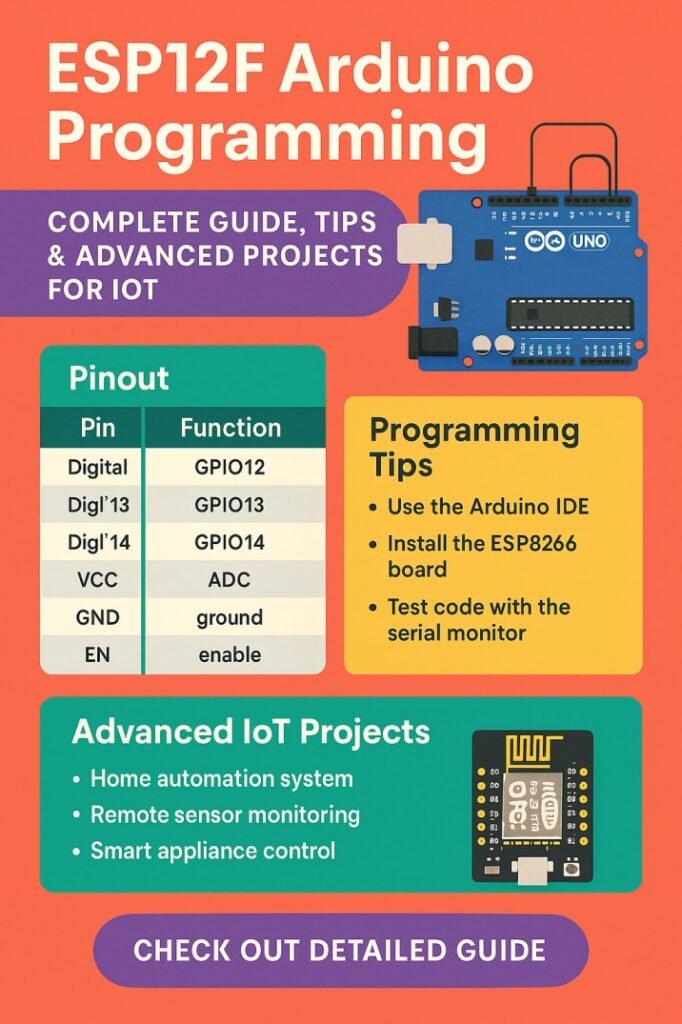
Table of Contents
Understanding ESP12F and Its Features
The ESP12F is a member of the ESP8266 family, featuring a powerful 32-bit processor, integrated Wi-Fi, and GPIO pins for various sensors and actuators. Its small form factor makes it ideal for embedded projects. When it comes to ESP12F Arduino programming, knowing the module’s specifications is essential for designing efficient systems.
Find all about esp8266mod
ESP12F Specifications Table
| Feature | Description |
|---|---|
| Processor | 32-bit Tensilica L106 |
| Flash Memory | 4MB (default) |
| GPIO Pins | 11 usable pins |
| Wi-Fi | 802.11 b/g/n |
| Operating Voltage | 3.3V |
| UART | 1 (TX/RX) |
| ADC | 1 channel (0-1V) |
This table highlights the key features of ESP12F, helping you plan your Arduino programming approach effectively. The module’s GPIO pins allow easy integration with sensors, relays, and other peripherals, making it highly versatile for IoT projects.
Getting Started with ESP12F Arduino Programming
Before diving into advanced projects, setting up the development environment is crucial. The ESP12F can be programmed using the Arduino IDE, which supports a wide range of libraries and simplifies coding for beginners and professionals alike.
Here is a detailed guide on esp12f pinout
Steps for ESP12F Arduino Programming Setup
- Install Arduino IDE on your computer.
- Add the ESP8266 board manager URL in Arduino IDE.
- Select “NodeMCU 1.0 (ESP-12E/F)” from the board options.
- Connect the ESP12F module via a USB-to-Serial adapter.
- Select the correct COM port and upload a test sketch.
Following these steps ensures a smooth start with ESP12F Arduino programming. A simple test script can be used to blink an LED or connect the module to a Wi-Fi network, confirming proper setup.
Essential Libraries for ESP 12F Arduino Programming
Libraries enhance functionality and simplify coding for specific tasks. For ESP12F Arduino programming, the most commonly used libraries include:
| Library | Purpose |
|---|---|
| ESP8266WiFi | Connect to Wi-Fi networks |
| ESP8266HTTPClient | Send HTTP requests |
| ArduinoJson | Parse JSON data from APIs |
| Adafruit_Sensor | Interface with sensors |
| DHT | Read temperature and humidity sensors |
Using these libraries allows developers to handle complex tasks like MQTT communication, web server creation, and sensor data logging with minimal coding effort.
Explore details on esp32 wroom 32 uart pins
Best Practices for ESP 12F Arduino Programming
While ESP12F Arduino programming is straightforward, following best practices ensures reliable and efficient operation:
- Use stable 3.3V power supply to avoid module damage.
- Keep GPIO pins free from excessive load; use transistors for relays.
- Implement proper Wi-Fi reconnection logic in IoT applications.
- Optimize code size to fit within ESP12F memory constraints.
- Test sketches with smaller modules before deploying to critical systems.
Adhering to these tips enhances the performance and longevity of ESP12F-based projects, reducing debugging time during development.
Know more about automatic power factor correction using arduino
Advanced Projects Using ESP12F Arduino Programming
ESP12F Arduino programming enables a variety of advanced IoT projects. Here are some popular examples:
Project Table
| Project | Description | Key Libraries Used |
|---|---|---|
| Smart Home Automation | Control lights and appliances via mobile app | ESP8266WiFi, MQTT |
| Weather Station | Monitor temperature, humidity, and pressure | DHT, BMP180, ArduinoJson |
| IoT Door Lock | Remote control of door locks | ESP8266WiFi, Servo |
| Data Logger | Store sensor data on cloud platforms | ESP8266HTTPClient, Firebase |
| Energy Monitoring | Track power consumption of devices | ADS1115, ArduinoJson |
These projects demonstrate the versatility of ESP12F Arduino programming. By combining Wi-Fi capabilities with sensor integration, developers can create robust, connected systems with real-time monitoring and control.
Find all about nema 17 pinout
Debugging Tips for ESP12F Arduino Programming
Debugging is an essential part of ESP12F Arduino programming. Common issues include connection failures, boot loops, and unexpected resets. Here are some practical debugging tips:
- Use Serial Monitor to print status messages.
- Check voltage levels with a multimeter.
- Verify Wi-Fi credentials and network range.
- Test individual modules before integration.
- Update firmware if persistent errors occur.
Applying these strategies helps identify problems early, saving time and improving the reliability of your IoT projects. Explore all about arduino touch sensor
Optimizing Performance in ESP 12F Arduino Programming
Performance optimization is key when building IoT applications. ESP12F Arduino programming allows you to implement strategies such as:
- Minimizing delay() usage to prevent blocking operations.
- Using deep sleep mode to reduce power consumption in battery-operated projects.
- Compressing JSON data to reduce network overhead.
- Using efficient data structures and avoiding global variables where possible.
Optimized code ensures that your ESP12F projects run smoothly, even under heavy workloads or multiple sensor inputs.
Future of ESP12F in IoT
ESP12F Arduino programming continues to grow in popularity due to the expanding IoT market. Its compatibility with cloud services, mobile apps, and smart devices makes it an ideal choice for hobbyists, startups, and industrial applications. As libraries and community support expand, advanced projects like home automation, industrial monitoring, and AI-enabled IoT solutions are becoming more accessible.
Know more about Top 10 ESP Based Smart Home Projects for Beginners
Summary Table: Quick Reference for ESP12F Arduino Programming
| Topic | Key Points |
|---|---|
| Setup | Arduino IDE, Board Manager URL, COM port selection |
| Libraries | ESP8266WiFi, MQTT, ArduinoJson, DHT |
| Best Practices | Stable voltage, proper GPIO usage, Wi-Fi reconnection |
| Projects | Smart home, weather station, IoT door lock, data logger |
| Debugging | Serial Monitor, voltage check, firmware update |
| Optimization | Minimize delays, deep sleep, data compression |
This table provides a compact reference for anyone starting with ESP12F Arduino programming or looking to advance their existing projects.
Know more about Best WiFi Modules for Smart Home Projects (ESP8266, ESP32, ESP12F)
ESP12F Arduino programming opens up countless opportunities for building connected devices. With proper setup, reliable coding practices, and creative use of sensors and libraries, you can develop IoT applications that are both innovative and practical. From simple home automation to complex data logging systems, mastering ESP12F Arduino programming is the first step toward becoming a skilled IoT developer.
Follow Us on Social:
Subscribe our Newsletter on Electrical Insights for latest updates from Electrical Engineering Hub
#ESP12F, #ArduinoProgramming, #ESP8266, #IoTProjects, #Microcontroller, #ArduinoCoding, #EmbeddedSystems, #ESP12FProjects, #ArduinoIoT, #WirelessProgramming