Free PLC Ladder Logic Simulator – Best Tools to Practice PLC Programming Online
Learning PLC programming used to require expensive hardware, licensed software, and access to industrial labs. Today, anyone with an internet connection can sharpen automation skills using a free PLC ladder logic simulator. These tools allow students, technicians, and engineers to practice ladder diagrams, test logic, and understand control systems without touching a physical PLC.
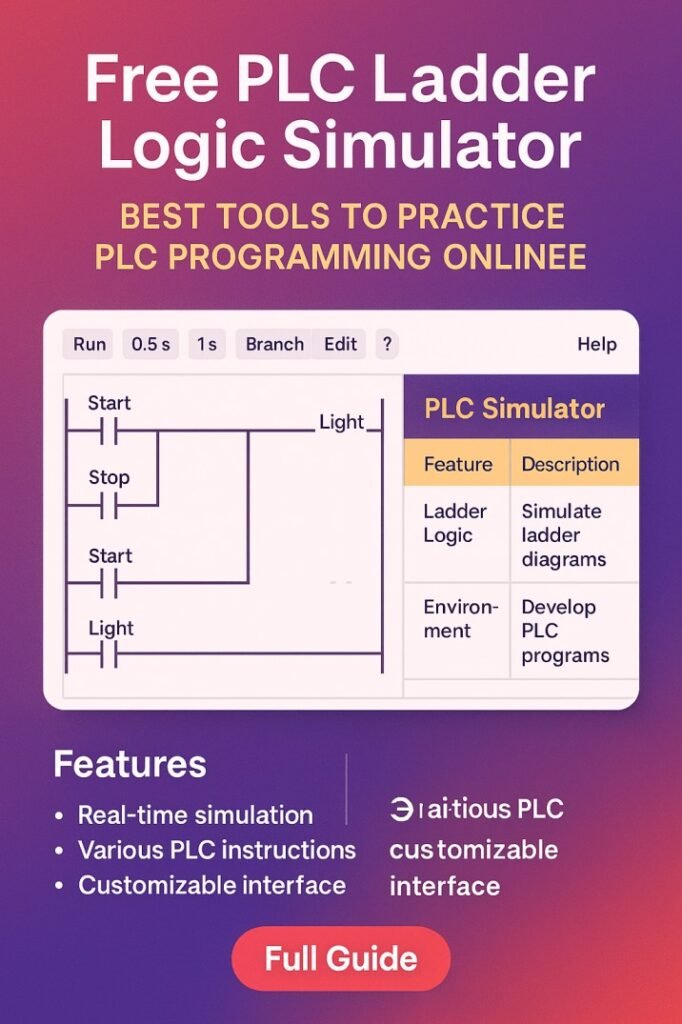
Table of Contents
A free PLC ladder logic simulator creates a virtual environment that behaves like a real programmable logic controller. You can build rungs, add timers and counters, simulate inputs, and watch outputs respond in real time. This removes the fear of wiring mistakes and makes learning faster and more practical. Whether you are just starting or improving troubleshooting skills, using a free PLC ladder logic simulator is one of the smartest ways to grow in industrial automation.
SCADA vs DCS Comparison: Best Professional Guide for Engineers
Why Practice PLC Programming with Simulation
Industrial automation is hands-on by nature, but real equipment is not always available. Simulation fills that gap in a safe and cost-effective way.
Here’s why a free PLC ladder logic simulator is so useful for learners and professionals:
- No hardware cost or risk of damaging equipment
- Practice anytime without a physical lab
- Safe testing of logic before real-world implementation
- Faster debugging and learning from mistakes
- Ideal for students, job seekers, and maintenance staff
A free PLC ladder logic simulator also helps you understand how PLC scan cycles work. You can see how inputs are read, logic is executed, and outputs are updated. This understanding is critical when working with real control panels, motors, sensors, and actuators.
What Is a PLC Ladder Logic Simulator
A PLC ladder logic simulator is software that mimics the behavior of a programmable logic controller. It allows users to design ladder diagrams and test them in a virtual environment.
Core features usually include:
- Ladder diagram editor with contacts and coils
- Timers, counters, and internal relays
- Input and output simulation
- Memory bits and data registers
- Real-time monitoring of logic status
When you use a free PLC ladder logic simulator, you can toggle virtual switches, press digital buttons, and watch indicator lamps turn on or off based on your logic. This mirrors real industrial control circuits such as motor starters, conveyor systems, and pump control panels.
Explore everything about Automation Engineer Certification Cost in 2026 – Fees, Duration & Best Value Programs
Key Features to Look for in a Simulator
Not every free PLC ladder logic simulator offers the same capabilities. Choosing the right one can improve your learning speed and practical understanding.
Important features to consider:
- User-friendly ladder diagram interface
- Support for timers, counters, and comparison instructions
- Ability to simulate analog and digital inputs
- Real-time execution and monitoring
- Downloadable or browser-based access
Some advanced tools also support structured text, function block diagrams, and basic HMI simulation. Even if you are focused on ladder logic, exposure to these features builds a stronger automation foundation. Know more about PLC vs DCS: Main Differences for Industrial Automation
Best Free PLC Ladder Logic Simulator Tools
Below is a comparison of popular tools that function as a free PLC ladder logic simulator for beginners and intermediate learners.
| Tool Name | Platform | Best For | Key Features | Skill Level |
|---|---|---|---|---|
| PLC Fiddle | Browser-based | Quick online practice | Ladder editor, timers, counters, simulation | Beginner |
| LogixPro Demo | Windows | Realistic industrial scenes | Conveyor, batching, traffic light simulations | Intermediate |
| OpenPLC Editor | Windows/Linux | Open-source learning | Multiple PLC languages, hardware integration | Intermediate |
| Do-more Designer Sim | Windows | Realistic PLC environment | Built-in simulator, ladder monitoring | Beginner–Int |
| Zelio Soft (Demo) | Windows | Smart relay logic | Ladder and function block, timing control | Beginner |
Each free PLC ladder logic simulator listed above helps you understand how industrial logic works in practical situations. Some focus on education, while others mimic real PLC brands used in factories.
How Simulation Improves Ladder Logic Skills
Using a free PLC ladder logic simulator regularly builds strong programming habits. It trains your mind to think in sequences, conditions, and interlocks.
You learn how to:
- Design start-stop motor control circuits
- Implement interlocks for safety
- Use timers for delays and sequencing
- Apply counters for batch processes
- Debug logic when outputs do not respond
Know more about SCADA HMI Software Cost in 2026 – Pricing, Licenses & Best Value Options
Because a free PLC ladder logic simulator shows rung status in real time, you can see exactly where logic fails. This visual feedback is much harder to get when working only on paper.
Common Circuits You Can Practice
A good free PLC ladder logic simulator lets you recreate many real industrial control applications. Practicing these circuits prepares you for fieldwork and interviews.
Here are common exercises:
- Direct-on-line motor starter
- Star-delta motor starting sequence
- Traffic light control system
- Conveyor belt with object sensor
- Water tank level control using float switches
- Automatic street light using timer logic
When these examples are built inside a free PLC ladder logic simulator, you can test every condition. You can simulate sensor failures, power loss, or emergency stop conditions and see how your logic reacts.
Understanding Timers and Counters in Simulation
Timers and counters are widely used in automation. A free PLC ladder logic simulator allows you to experiment with these instructions safely.
Basic timer types you should practice:
| Timer Type | Function | Example Use Case |
|---|---|---|
| ON Delay | Delays output turning ON | Motor starts after 5 seconds |
| OFF Delay | Delays output turning OFF | Fan runs after heater turns off |
| Retentive | Keeps accumulated time in memory | Process timing during interruptions |
Counters are equally important:
| Counter Type | Function | Example Use Case |
|---|---|---|
| Up Counter | Counts events upward | Counting products on conveyor |
| Down Counter | Counts backward from preset | Batch countdown process |
Practicing these in a free PLC ladder logic simulator builds confidence in designing time-based and quantity-based control systems.
Know more about PLC Programming Salary 2026 – Experience-Wise Pay, Country Comparison & Skills That Boost Income
Benefits for Students and Job Seekers
Students often struggle to get real PLC exposure. A free PLC ladder logic simulator bridges that gap and helps build a strong resume.
Major benefits include:
- Practical skills without lab access
- Better understanding of industrial automation logic
- Stronger performance in technical interviews
- Ability to showcase sample projects
Recruiters value candidates who understand real-world ladder logic. When you practice using a free PLC ladder logic simulator, you gain the ability to explain control strategies clearly.
Benefits for Technicians and Maintenance Staff
A free PLC ladder logic simulator is not only for beginners. Maintenance technicians also use simulation to improve troubleshooting skills.
You can:
- Recreate fault scenarios
- Test interlocks before modifying real systems
- Understand legacy ladder programs
- Practice safe logic changes
Before editing a live PLC program, technicians often model changes in a free PLC ladder logic simulator to avoid downtime and production losses. Know more about Modbus Communication Protocol: Master-Slave Explained
Online vs Offline Simulation Tools
Some tools run directly in your browser, while others require installation. Both types can serve as a free PLC ladder logic simulator depending on your needs.
| Type | Advantages | Limitations |
|---|---|---|
| Online | No installation, accessible anywhere | Limited advanced features |
| Offline | More realistic environment, advanced options | Requires installation and setup |
Beginners usually start with an online free PLC ladder logic simulator because it is quick and simple. As skills grow, offline tools offer deeper functionality.
Tips to Learn Faster with a Simulator
Using a free PLC ladder logic simulator is effective only when you practice with a plan. Random experiments help, but structured learning gives faster results.
Follow these tips:
- Start with basic logic like AND, OR, and NOT conditions
- Build simple motor control circuits first
- Add timers and counters step by step
- Test all possible input combinations
- Review real industrial wiring diagrams
Repetition inside a free PLC ladder logic simulator builds muscle memory. Over time, reading and writing ladder logic becomes natural.
Know more about OPC UA vs MQTT: Protocol Comparison for Industrial Control
Mistakes to Avoid While Practicing
Simulation is safe, but learning wrong habits can cause problems later. Be mindful while using a free PLC ladder logic simulator.
Avoid these common mistakes:
- Ignoring proper labeling of inputs and outputs
- Writing long, messy rungs without structure
- Forgetting safety interlocks in motor control
- Not testing abnormal conditions
- Depending only on simulation without understanding real hardware
A free PLC ladder logic simulator should be used to strengthen practical understanding, not replace knowledge of sensors, relays, and actuators.
How Simulation Connects to Real PLC Hardware
The logic you create in a free PLC ladder logic simulator closely matches what is used in actual PLC brands. Contacts, coils, timers, and counters behave in similar ways.
When you move to real hardware, the main differences are:
- Physical wiring instead of virtual inputs
- Real voltage levels and signal types
- Communication networks like Modbus or Ethernet/IP
- HMI and SCADA integration
Still, the core ladder logic skills learned in a free PLC ladder logic simulator remain the same. This makes simulation one of the best preparation methods for industrial automation careers.
Know more about Industrial IoT Sensors in Automation: Cost and Integration
Building a Practice Routine
Consistency matters more than tool choice. Even 30 minutes a day on a free PLC ladder logic simulator can lead to strong programming skills in a few months.
A simple weekly plan could be:
- Day 1: Basic logic gates and latching circuits
- Day 2: Motor start-stop with overload protection
- Day 3: Timers and delay-based control
- Day 4: Counters and batch logic
- Day 5: Sequence control for multiple outputs
- Day 6: Troubleshooting existing logic
- Day 7: Revision and improvements
By repeating exercises in a free PLC ladder logic simulator, you develop both speed and accuracy.
The Future of PLC Learning
Industrial training is becoming more digital every year. Virtual labs, digital twins, and cloud-based automation tools are growing fast. The free PLC ladder logic simulator is now a key part of this learning ecosystem.
Know more about HMI vs SCADA: Which System Should You Choose?
As factories adopt Industry 4.0 technologies, engineers must understand both physical systems and virtual models. Simulation tools help bridge this gap by offering hands-on logic design in a digital environment.
Anyone serious about automation should spend time with a free PLC ladder logic simulator. It builds confidence, sharpens troubleshooting skills, and prepares you for real industrial challenges without financial barriers.
Final Thoughts
Mastering PLC programming takes practice, and simulation makes that practice accessible to everyone. A free PLC ladder logic simulator allows you to design, test, and improve ladder logic in a safe and flexible environment. From basic motor circuits to complex sequencing, these tools provide the foundation needed for real-world automation work.
Know more about Top SCADA Software Platforms for Energy Sector
Whether you are a student, technician, or engineer, regular practice with a free PLC ladder logic simulator can accelerate your learning journey. The more scenarios you build and test, the more prepared you become for actual industrial control systems.
Follow Us on Social:
Subscribe our Newsletter on Electrical Insights for latest updates from Electrical Engineering Hub
#FreePLCLadderLogicSimulator, #PLCSimulation, #LearnPLC, #AutomationTraining, #LadderLogicProgramming, #IndustrialAutomation, #PLCProgramming, #ControlSystems, #AutomationStudents, #PLCTools