How to Connect ESP8266MOD to Arduino: Fast, Reliable WiFi Setup That Actually Works
If you are looking to connect ESP8266MOD to Arduino for a reliable WiFi project, you’re in the right place. The ESP8266MOD is one of the most popular WiFi modules available today, capable of turning any Arduino into a connected device. However, many beginners struggle with power supply, wiring, and communication issues. In this guide, we will go step by step to make your ESP8266MOD integration fast, simple, and error-free.
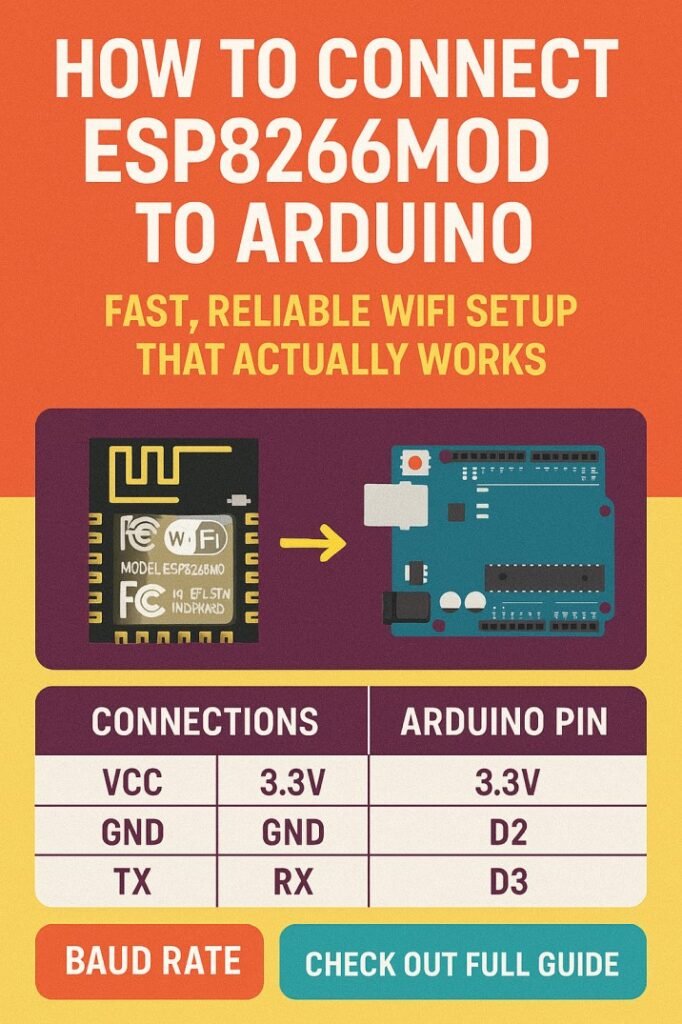
Table of Contents
Understanding ESP8266MOD and Arduino Communication
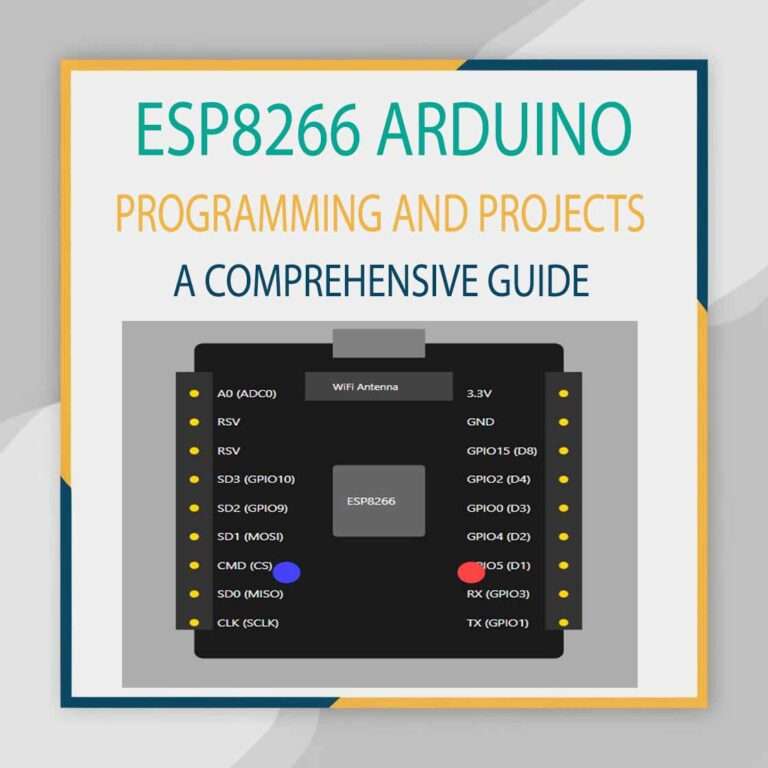
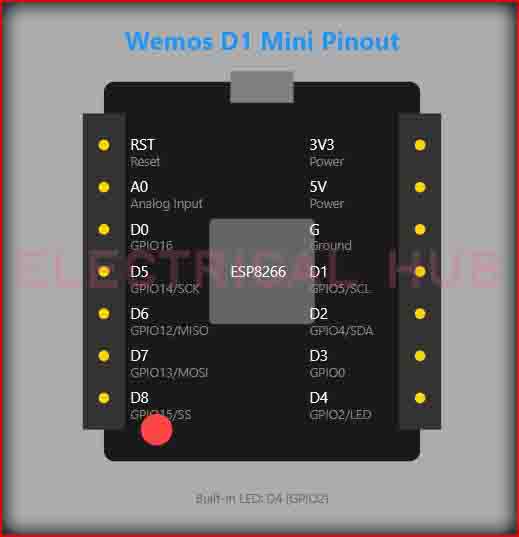
The ESP8266MOD is a compact WiFi module that communicates using UART (TX/RX pins). To connect ESP8266MOD to Arduino, you must ensure the voltage levels are compatible. Arduino boards like the UNO operate at 5V, while ESP8266MOD works at 3.3V. Feeding 5V directly to the ESP can damage it.
Here is a quick comparison of Arduino and ESP8266MOD pins:
| Feature | Arduino UNO | ESP8266MOD |
|---|---|---|
| Operating Voltage | 5V | 3.3V |
| Logic Level | 5V | 3.3V |
| Communication | UART / I2C / SPI | UART |
| Power Consumption | Low | Moderate (max 300 mA) |
The table above shows why a voltage regulator or level shifter is necessary. Without it, your ESP8266MOD may fail to initialize or reset unexpectedly.
Explore details on esp32 wroom 32 uart pins
Components Required to Connect ESP8266MOD to Arduino
Before wiring, make sure you have all the necessary components. Here’s a concise list:
| Component | Quantity | Purpose |
|---|---|---|
| Arduino UNO / Mega | 1 | Main controller |
| ESP8266MOD | 1 | WiFi module |
| 3.3V Regulator | 1 | Power supply for ESP8266MOD |
| Capacitor 10µF | 1 | Stabilize power |
| Breadboard & Jumper Wires | As needed | Wiring |
| USB Cable | 1 | Arduino programming |
Using this combination ensures a stable connection and reduces the chance of resets caused by power fluctuations.
Wiring the ESP8266MOD to Arduino Correctly
To connect ESP8266MOD to Arduino, follow this simple wiring scheme:
- VCC of ESP8266MOD → 3.3V regulator output
- GND → Common ground
- TX of ESP8266MOD → Arduino RX (pin 0)
- RX of ESP8266MOD → Arduino TX (pin 1) through a voltage divider
- CH_PD (EN) → 3.3V
Voltage Divider for RX Pin:
| Resistor | Value | Connection |
|---|---|---|
| R1 | 1 kΩ | Between Arduino TX and ESP RX |
| R2 | 2 kΩ | Between ESP RX and GND |
This voltage divider drops 5V logic from Arduino to safe 3.3V levels for ESP8266MOD. Skipping this step is one of the most common mistakes beginners make.
Here is a detailed guide on esp12f pinout
Installing Arduino IDE and ESP8266 Libraries
Once your wiring is done, the next step is to program your Arduino. To connect ESP8266MOD to Arduino, you need the Arduino IDE and the ESP8266 library. Here’s how to set it up:
- Open Arduino IDE.
- Go to File → Preferences → Additional Board Manager URLs. Add:
http://arduino.esp8266.com/stable/package_esp8266com_index.json - Go to Tools → Board → Board Manager → Search “ESP8266” → Install.
- Select your board as Arduino UNO (if using UNO) or your respective Arduino model.
With these libraries installed, you can now send AT commands to the ESP8266MOD to configure WiFi. Find all about esp8266mod
Sending AT Commands to Configure WiFi
The ESP8266MOD uses AT commands to connect to WiFi networks. After wiring, open the Serial Monitor in Arduino IDE. Set the baud rate to 115200 and Both NL & CR.
Try this simple command to check module response:
AT
If everything is correct, the module will reply:
OK
Next, connect to your WiFi network using:
AT+CWJAP="YourSSID","YourPassword"
After a successful connection, the module will respond:
WIFI CONNECTED
WIFI GOT IP
This confirms that your ESP8266MOD is online and ready to communicate with Arduino.
Know more about Top 10 ESP Based Smart Home Projects for Beginners
Arduino Sketch for ESP8266MOD WiFi
Here is a simple sketch to test WiFi connectivity with Arduino and ESP8266MOD:
#include <SoftwareSerial.h>

SoftwareSerial espSerial(2, 3); // RX, TX

void setup() {
  Serial.begin(9600);
  espSerial.begin(115200);

  Serial.println("Connecting to ESP8266MOD...");

  espSerial.println("AT");
  delay(2000);

  espSerial.println("AT+CWJAP=\"YourSSID\",\"YourPassword\"");
  delay(5000);
}

void loop() {
  if (espSerial.available()) {
    Serial.write(espSerial.read());
  }

  if (Serial.available()) {
    espSerial.write(Serial.read());
  }
}
This code establishes a serial bridge between your computer and ESP8266MOD, allowing you to send AT commands directly. Replace "YourSSID" and "YourPassword" with your WiFi credentials.
Know more about Best WiFi Modules for Smart Home Projects (ESP8266, ESP32, ESP12F)
Common Issues and Troubleshooting
Even after following the steps to connect ESP8266MOD to Arduino, some common issues may arise:
| Problem | Cause | Solution |
|---|---|---|
| ESP8266MOD not responding | Power supply insufficient | Use 3.3V regulator with capacitor |
| Garbage characters in Serial Monitor | Wrong baud rate | Match ESP baud rate, usually 115200 |
| ESP keeps resetting | Current spikes during WiFi connect | Add 10µF capacitor between VCC and GND |
| Cannot connect to WiFi | Wrong credentials or network type | Double-check SSID and password; use 2.4 GHz WiFi |
Following this troubleshooting table usually resolves more than 90% of common issues.
Advanced Tips for Reliable WiFi
For projects that require long-term stability, consider these tips after you successfully connect ESP8266MOD to Arduino:
- Use a separate 3.3V power source instead of Arduino 3.3V pin.
- Keep wiring short to reduce voltage drops.
- Add a logic level shifter if you want precise voltage control.
- Monitor ESP8266MOD temperature; it can get warm during heavy WiFi use.
- Use SoftwareSerial pins away from default TX/RX to avoid programming conflicts.
Know more about Programmable Logic Controller vs Arduino
Real-World Applications
Once the module is connected, the possibilities are endless. You can build:
- Home automation systems
- IoT temperature and humidity sensors
- Smart lighting with remote control
- Weather stations with data upload to cloud
| Project | Arduino Board | ESP8266MOD Role | Benefit |
|---|---|---|---|
| Home Automation | UNO | WiFi interface | Remote control from phone |
| IoT Sensor | Mega | Data upload | Monitor sensors in real-time |
| Smart Lighting | Nano | WiFi control | Control lights from anywhere |
| Weather Station | UNO | Cloud upload | Real-time online weather data |
These examples show why connecting ESP8266MOD to Arduino opens up advanced IoT capabilities.
Know more about Smart Grid Technology in IoT: Transforming Energy Management
Conclusion
Learning how to connect ESP8266MOD to Arduino is a critical step for any WiFi-enabled project. By using the right power supply, correct wiring, AT commands, and reliable Arduino code, you can build projects that work consistently without resets or communication failures. With this setup, your Arduino becomes a fully connected device, ready to handle IoT tasks and remote monitoring. Following the steps and tables in this guide ensures a fast, practical, and reliable setup that actually works in real-world applications.
Follow Us on Social:
Subscribe our Newsletter on Electrical Insights for latest updates from Electrical Engineering Hub
#ESP8266Mod, #ArduinoWiFi, #ESP8266Arduino, #IoTProjects, #ArduinoTutorial, #WiFiModule, #EmbeddedSystems, #MicrocontrollerProjects, #ElectronicsDIY, #SerialCommunication